
OpusClip Review 2026: Can It Turn Existing Videos into Shorts Without Extra Filming?
OpusClip turns long videos into short clips with captions and vertical reframing. I tested it in two ways. In April 2026 I used the 7-day Pro trial to run AI Captions on two videos and AI Reframe on a third. On 14 September 2026 I used the permanent free plan to make and download a clip, then inspected the file. I re-checked the download step on 27 August and 14 September 2026.
⚠️ Is OpusClip Free?
Yes. There is a permanent free plan with 60 credits a month, and its clips download as real 1080p files, but every clip carries an OpusClip watermark.
- Free plan: 60 credits a month, watermark, no editing, and clips can no longer be exported after 3 days
- Pro trial: a separate 7-day trial with 10 credits and Pro features, including watermark removal
- Watermark: built into the video itself. It is missing for about the first four seconds, then fades in.
- Cheapest paid plan: Starter at $15 a month
Our verdict: good for testing captions and reframing on your own videos. Free clips are watermarked, so pay only if the output is good enough to publish.
Choosing between tools? See OpusClip vs Vizard or OpusClip vs Quso.ai. New to AI video tools? Read how to test an AI video tool before paying first.
Based on hands-on testing · How we test creator tools
What I found
| Test | Result |
|---|---|
| Signup | Under 2 minutes, with Google, Apple or email. No credit card. |
| AI Captions, AI voice | Worked. Used 1 credit (10 to 9). |
| AI Captions, natural speech | Worked on an MKV file, but with several wrong words. Used 1 credit (9 to 8). |
| AI Reframe | Turned a horizontal talking-head clip into a usable 9:16 clip. Used 1 credit (8 to 7). |
| Editor | Opened after every run. |
| Free-plan download | A 1080x1920 file, 26.5 seconds, watermarked. The download cost no credits. |
Is OpusClip Free? The Free Plan and the Pro Trial
OpusClip has two free ways in, and they are easy to confuse.
| 7-day Pro trial | Permanent free plan | |
|---|---|---|
| Credits | 10, for 7 days | 60 a month |
| Watermark | Can be removed | Always on |
| Editing | Included | Not included |
| Export | Normal | Clips cannot be exported after 3 days |
| Lasts | 7 days | Indefinitely |
The Pro trial starts when you sign up. My account badge read "Free Trial (Pro Plan) — Active — Credits 10 — Expires in 6 days." It is the better way to judge OpusClip, because nothing is locked for a week.
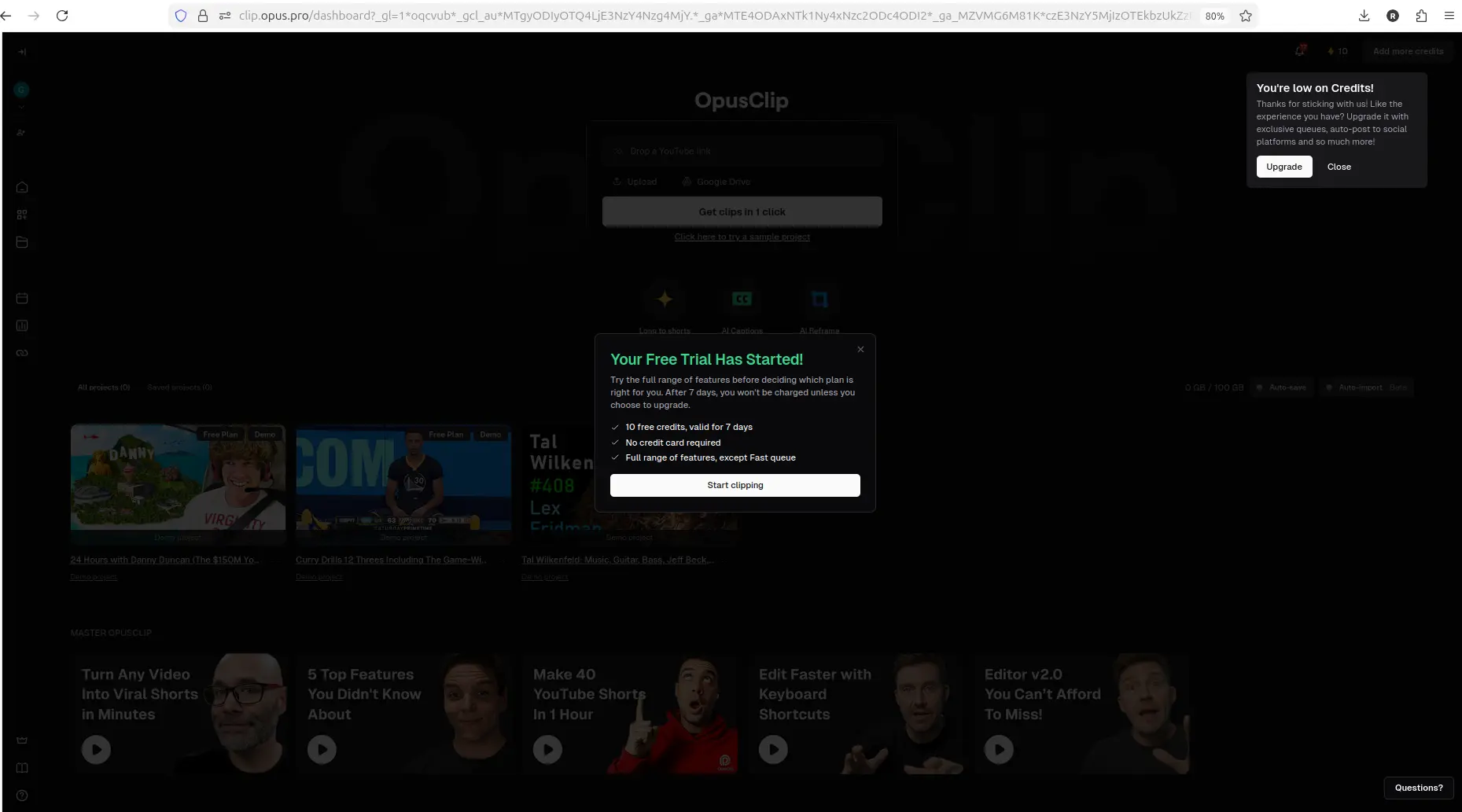
The trial popup, showing 10 credits for 7 days.
The free plan is what remains afterwards. We tested it on 14 September 2026. The clip downloaded as a 1080x1920 MP4, 26.5 seconds long. The OpusClip logo is built into the video frames, so no setting or tool can switch it off. It is missing for about the first four seconds, fades in around five seconds, and stays to the end. The full frame-by-frame check is in OpusClip Watermark: Can You Remove It Free?
The download step changed
In April 2026, clicking Download HD on the trial opened a popup. It said free and trial clips would carry the OpusClip logo unless you upgraded.
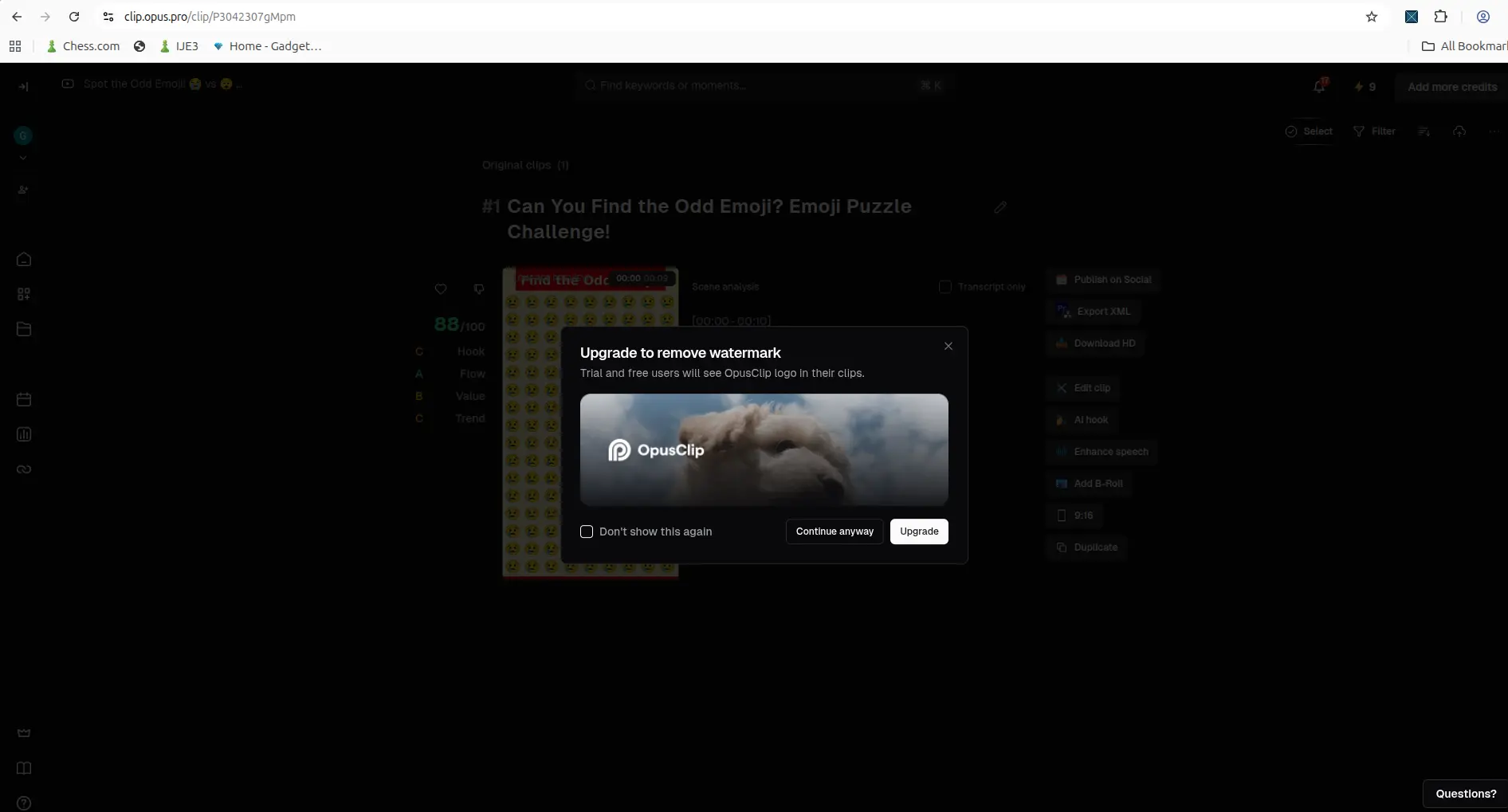
April 2026: the warning that appeared at Download HD.
On 27 August and 14 September 2026, that popup no longer appeared. Download HD rendered the clip and handed over the file, with no warning and no credit charge.
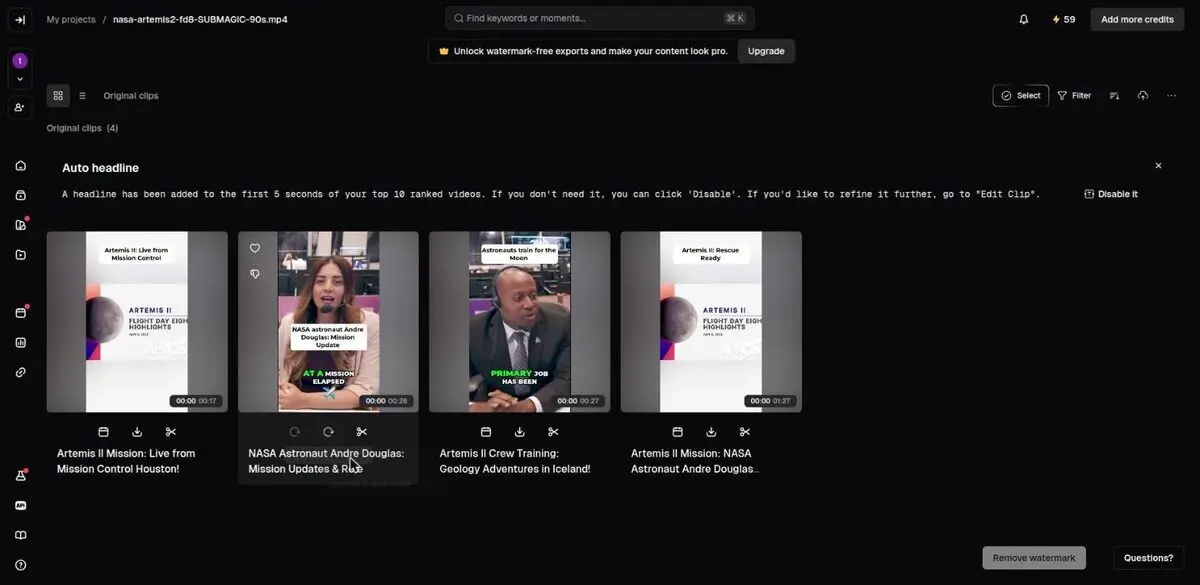
September 2026: the same click, with no warning.
The watermark is still there. You just no longer see a warning first, so you only find the logo when you open the file.
What a free test uses up
Each workflow run in my trial used 1 credit. Pick a test video that looks like your real content: a similar length, speaker framing, audio quality and amount of movement. That way the credits tell you something useful.
Your month
Tell us what you actually publish. We work out what each free plan covers.
Source length, not finished-clip length — every tool bills on what you upload, not what you publish.
Every free plan runs out somewhere. Know where first.
The Free-Plan Reality Check: what OpusClip, Vizard AI, Submagic and Quso.ai actually let you do for $0 - from real signups, real uploads and real paywall hits.
AI Captions: good, but check the words
I ran AI Captions twice. The first run used a short clip with an AI voice. I chose a caption template and aspect ratio, and OpusClip produced a clip with a score breakdown, a transcript and scene analysis. It also offered Download HD, Edit clip, AI hook, Enhance speech and Add B-Roll.
The second run used an MKV screen recording of my own voice. OpusClip accepted the MKV file and produced a mostly usable transcript, with some mistakes:
- "OpusClip" became "Opus Clip"
- "human speech" became "woman's speech"
- "normal pacing" became "normal spacing"
- "This test will also help me check credits" became "This result will also help me check edits"
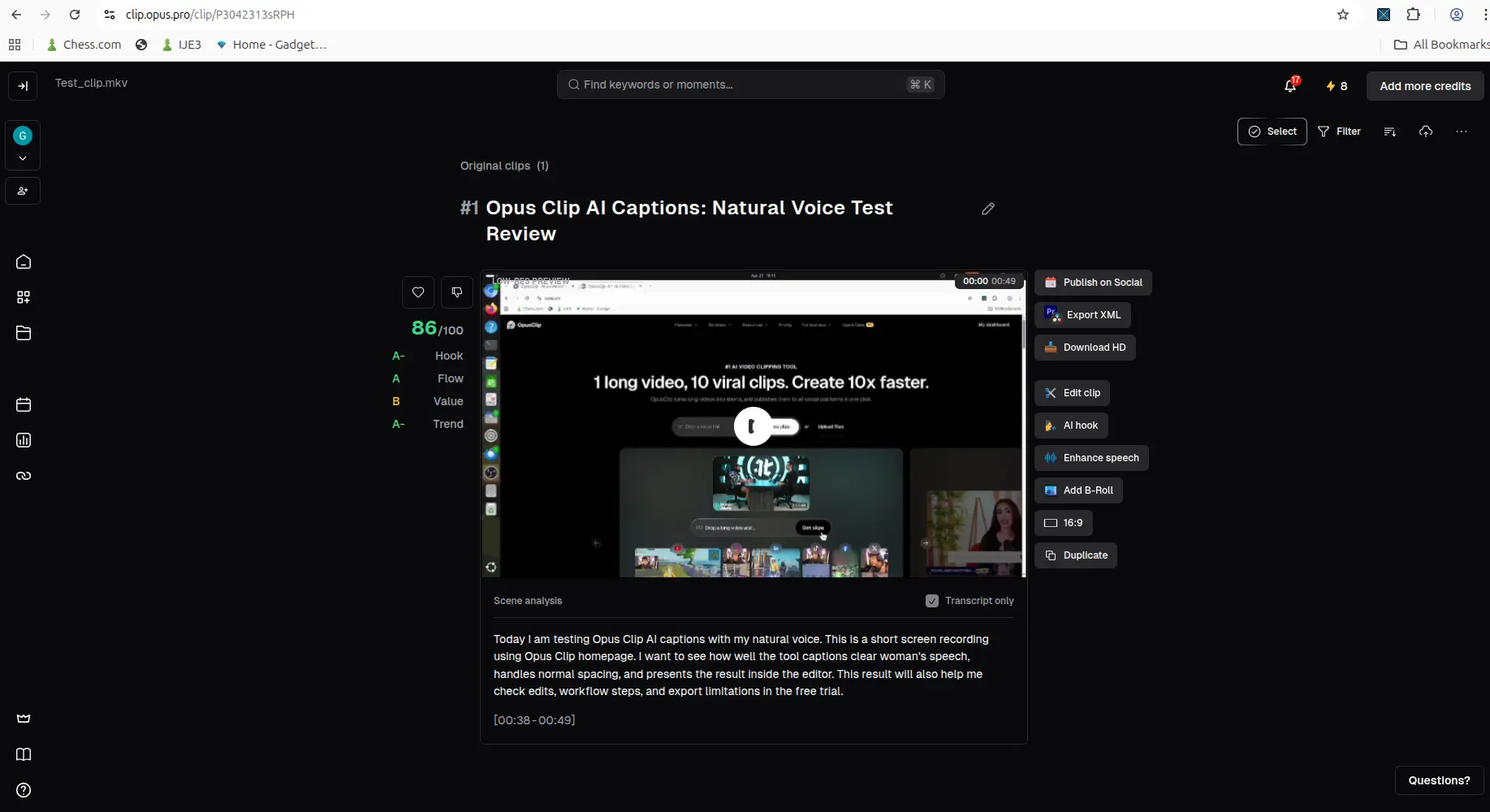
The natural-speech result. The transcript was usable but had wrong words.
The captions are good enough to save time, but not good enough to publish without reading them.
AI Reframe: horizontal to vertical
I gave AI Reframe a horizontal talking-head clip and chose 9:16, Fill and Original ratio crop. A processing card with a time estimate appeared on the dashboard. The estimate was not always exact.
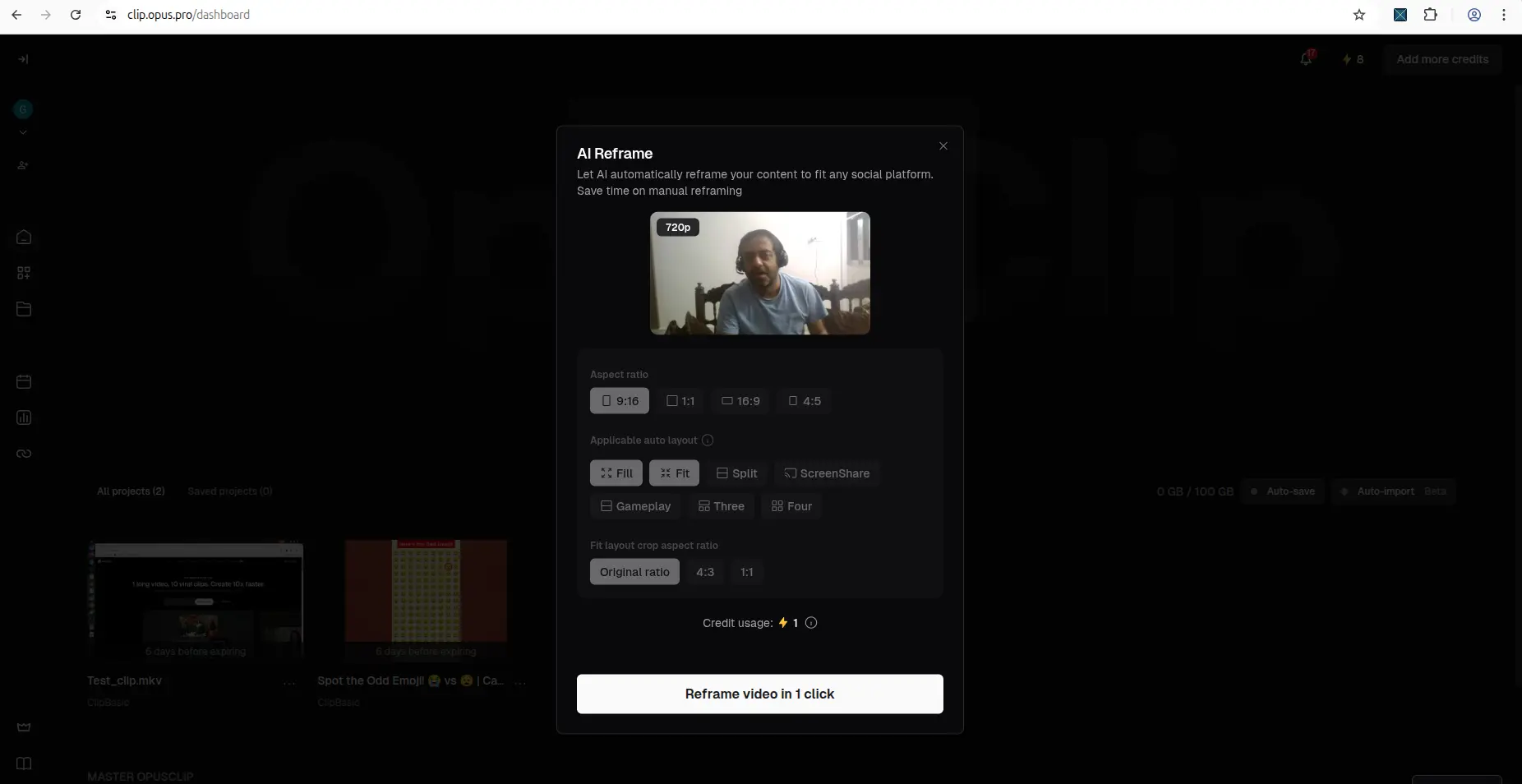
The AI Reframe settings I used.
The result was a usable vertical clip, and the editor opened with the same follow-up actions.
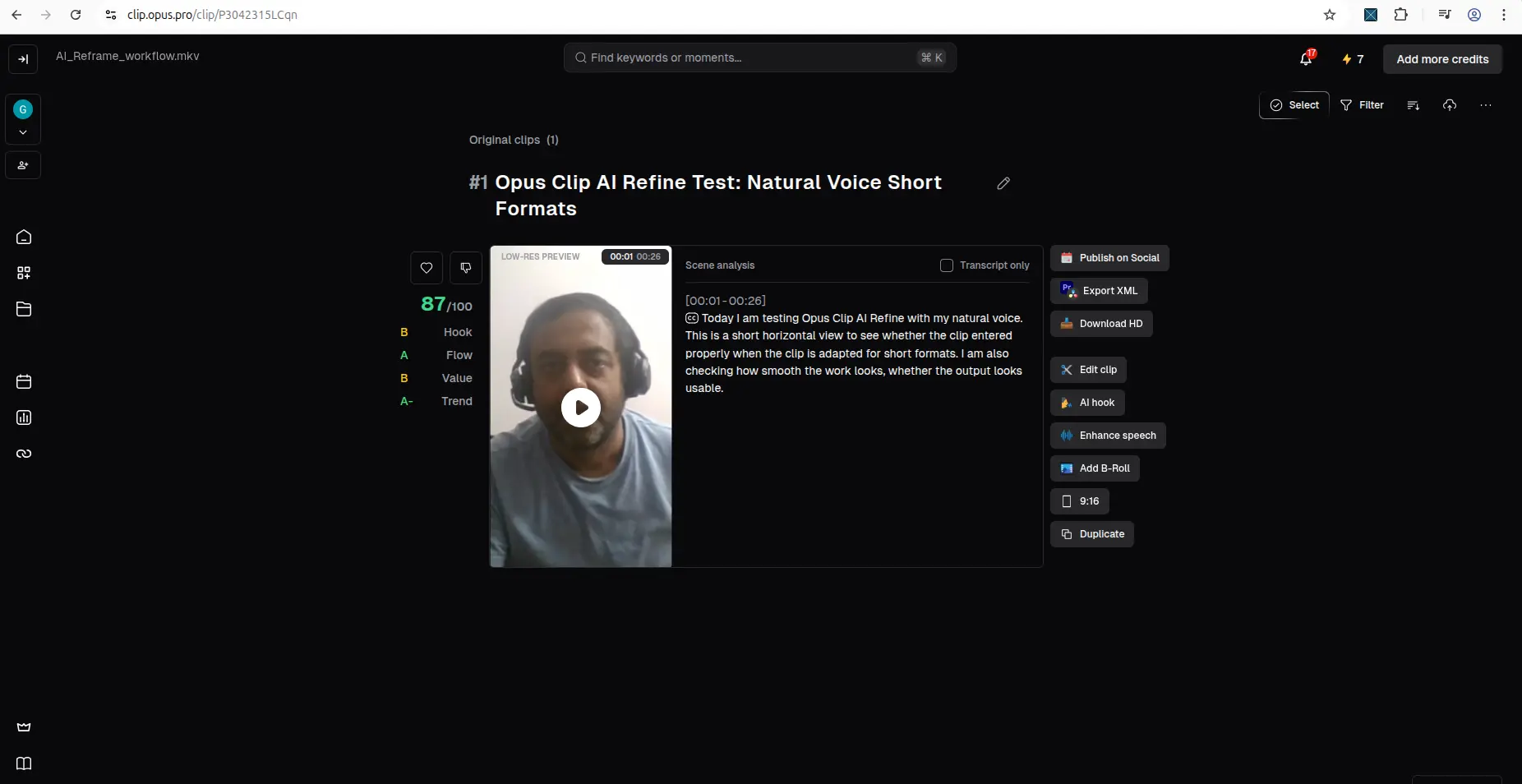
The reframed 9:16 result.
My clip had one clear speaker who did not move much. I cannot say whether OpusClip tracks a moving subject well, or mostly applies a smart centre crop. A harder test would need more movement or several people.
OpusClip pricing
OpusClip sells Starter, Pro and Business plans above the free plan. On 27 August 2026, Starter was $15 a month and Pro was $29 a month at list price. OpusClip's annual price is a promotion that changed between two checks on the same day, so read the yearly figure on OpusClip's own page.
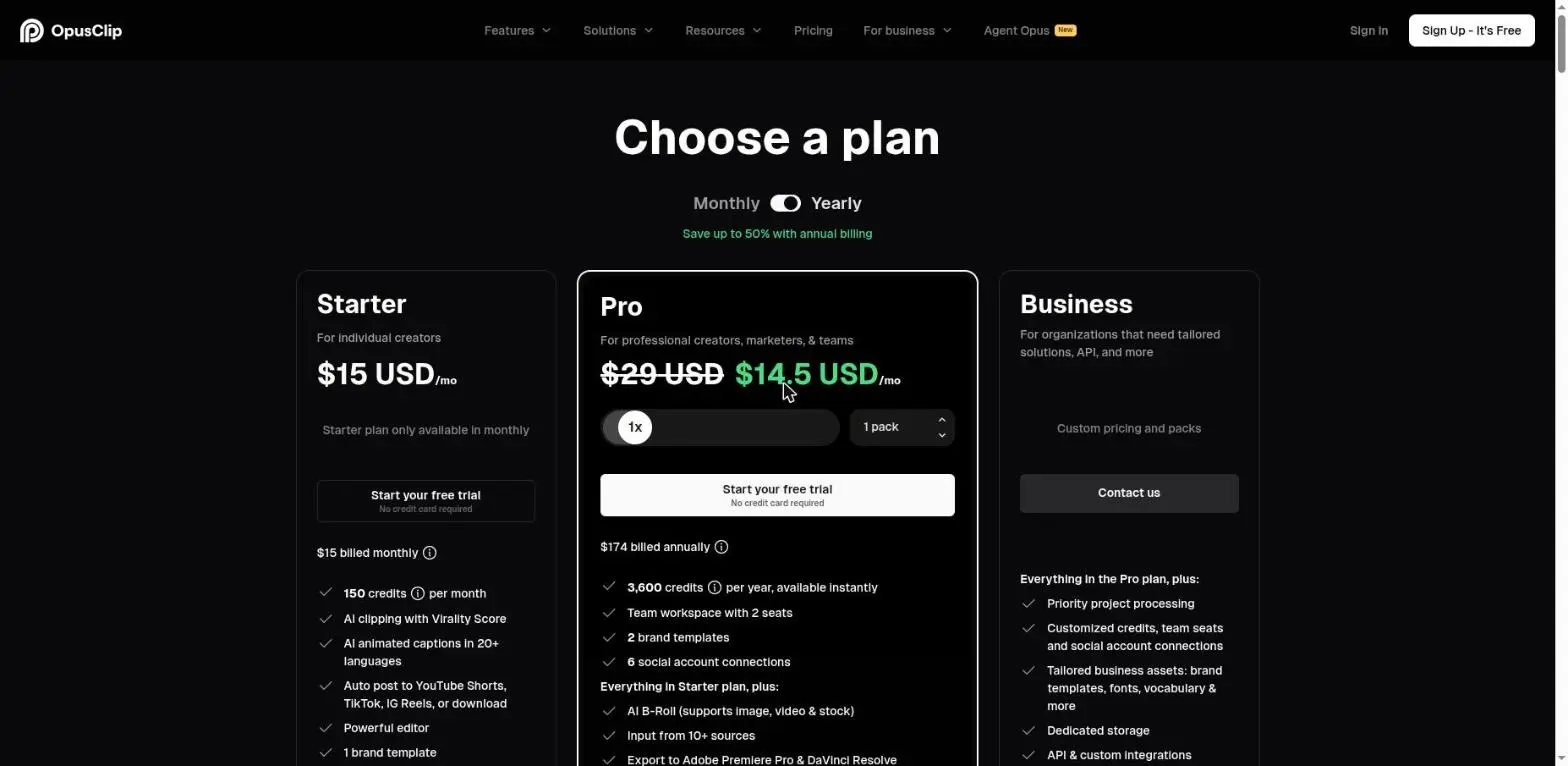
OpusClip's pricing page on 27 August 2026, in US dollars.
The pricing page also has a calculator that links credits to clip views and posting platforms. Those view figures are OpusClip's own projections, not something we measured. Our creator tool pricing tables compare OpusClip's monthly prices with five other tools.
Is OpusClip legit?
Yes. Signup was free, AI Captions and AI Reframe both produced real clips, and the editor opened each time. What catches people out is the difference between the Pro trial and the free plan. The trial removes the watermark for a week. The free plan never does.
Pros and cons
Pros
- Quick signup with no credit card.
- A 7-day Pro trial with nothing locked.
- A permanent free plan that downloads real 1080p files.
- AI Captions and AI Reframe both produced usable results.
- It accepted an MKV file.
- Credits are shown clearly, and downloading is free.
Cons
- Every free-plan clip is watermarked.
- The Download HD warning is gone, so the watermark is easy to miss until you open the file.
- Free-plan clips cannot be edited and expire for export after 3 days.
- Captions on natural speech need a read-through.
- Tracking on moving subjects is untested.
Who should try OpusClip, and who should skip it
Try it if you already have long videos, such as tutorials, interviews, screen recordings or talking-head clips, and want to turn them into Shorts without filming again. Use the Pro trial week to judge captions and reframing on your own footage.
Skip it if you have no longer videos to reuse, or you need clean, unwatermarked clips for free. If your main need is keyword research or channel SEO rather than clipping, a tool like TubeBuddy or vidIQ fits better.
Final verdict
OpusClip does turn existing videos into Shorts without extra filming. AI Captions and AI Reframe both worked on real footage, and the editor opened every time. The captions still need a read-through, and I have not tested reframing on fast-moving scenes.
For free, it is best used to decide whether the tool fits your content. The Pro trial shows you everything for a week. The permanent free plan keeps working afterwards, but its clips are watermarked, cannot be edited, and expire for export after 3 days.
If you want a free plan that also allows editing and has no 3-day export limit, Vizard AI also gives 60 credits a month. We downloaded its free watermarked clips ourselves.
Used one of these tools? Share your experience with CreatorIntelHQ so we can improve future reviews, comparisons, and free-plan guides for small creators.
More on OpusClip
- Does OpusClip watermark your clips? — a real 1080p free export, with the mark absent for the first four seconds
More on Vizard AI
- Vizard AI Review 2026 — the hands-on walkthrough: signup, clip quality, caption cleanup
- Does Vizard AI add a watermark? — the mark is burned into every frame, inspected with ffprobe
- Vizard AI Model v1 vs v2 — same video, both models: 10 clips vs 5, and 30% more credits
Head to head
- Vizard AI vs OpusClip: Free Plan — the two free tiers side by side
- Vizard AI vs OpusClip — the broader feature comparison
- Which AI video tools remove silences free? — none of the four, and Vizard does not offer it at any price
Wider guides
- Best AI Video Repurposing Tools
- AI Subtitle Tools for YouTube Creators
- Best Tools for Small YouTube Creators
FAQ
Is OpusClip free?
Yes. OpusClip has a permanent free plan with 60 credits a month. Free clips are watermarked, cannot be edited, and cannot be exported after 3 days. There is also a separate 7-day Pro trial with 10 credits.
Does OpusClip add a watermark on the free plan?
Yes. We downloaded a free-plan clip on 14 September 2026, and the OpusClip logo was built into the video frames. It is missing for about the first four seconds and then fades in.
What is the difference between the OpusClip free plan and the free trial?
The trial is 7 days of the Pro plan with 10 credits, and it includes watermark removal and editing. The free plan has 60 credits a month and never ends, but it always adds a watermark and does not allow editing.
What quality is an OpusClip free download?
1080p. Our free-plan clip downloaded as a 1080x1920 MP4, and the download itself used no credits.
Can OpusClip turn existing videos into Shorts?
Yes. AI Reframe turned a horizontal talking-head clip into a usable 9:16 clip in our test.
Are OpusClip captions accurate?
Mostly. On natural speech, several words were wrong, such as "normal pacing" becoming "normal spacing". Read the captions before you publish.
How many credits does OpusClip use?
Each workflow run in our test used 1 credit: two caption runs and one reframe. Downloading used none.
When should I pay for OpusClip?
When the clips from your own videos are good enough to publish, and the watermark, the lack of editing or the 3-day export limit is what stops you. Starter was $15 a month on 27 August 2026.