
Review
vidIQ Review 2026: Worth It for Small YouTube Creators?
Hands-on vidIQ review for small creators: dashboard, AI ideas, optimization, keywords, outliers, free plan limits, and Boost pricing tested.
Note: initial testing predates the CreatorIntelHQ evidence database; a logged retest is planned.
This review is based on testing vidIQ's free plan with a small YouTube channel. The goal was simple: see whether vidIQ actually helps small creators make better decisions, or whether it only looks useful until the paid limits appear. During testing, vidIQ showed AI prompts, Optimize, Keywords, Outliers, free credits, Boost locks, and pricing tiers.
If you are comparing this with another YouTube growth tool rather than reviewing vidIQ alone, read TubeBuddy vs vidIQ alongside this page.
Quick verdict: vidIQ is a useful starting tool for small YouTube creators because it feels clean, beginner-friendly, and gives enough free credits to test ideas, optimization, and keyword workflows. But it becomes limited quickly if you want repeated optimization, deeper keyword research, or unlimited outlier discovery.
Disclosure: This page may contain affiliate links. If you choose a tool through those links, CreatorIntelHQ may earn a commission at no extra cost to you. Reviews are written to focus on practical fit, workflow value, and real creator use.
Based on hands-on testing · How we test creator tools
Why I Tested vidIQ
There is a small creator frustration I know very well: you upload a video, then you start guessing. Is the title good? Is the topic too weak? Should you change the thumbnail? Is anyone even searching for this idea?
I wanted to test whether vidIQ actually reduces that guessing. In 2026, every tool says it has AI. The real question is whether that AI saves time or just wraps basic YouTube data in a nicer chat box.
So I tested vidIQ with a small-channel mindset, not as a big creator with a team. I wanted to know whether a small creator could log in, understand what to do next, and test the tool without paying immediately.
First Impression: Clean, Simple, And Beginner-Friendly
My first impression was positive. vidIQ felt cleaner than I expected.
After connecting the channel, the dashboard imported videos and showed a simple left-side navigation with Feed, Optimize, Keywords, and Outliers. It did not feel like a heavy analytics product where you need to learn everything before doing anything useful.
The AI prompt area was the strongest first impression. It offered starting questions like video ideas, how to get more views, channel audit, and video review. For a small creator, that matters because you do not always know what question to ask first. vidIQ removes that blank-page problem better than most tools in this category.
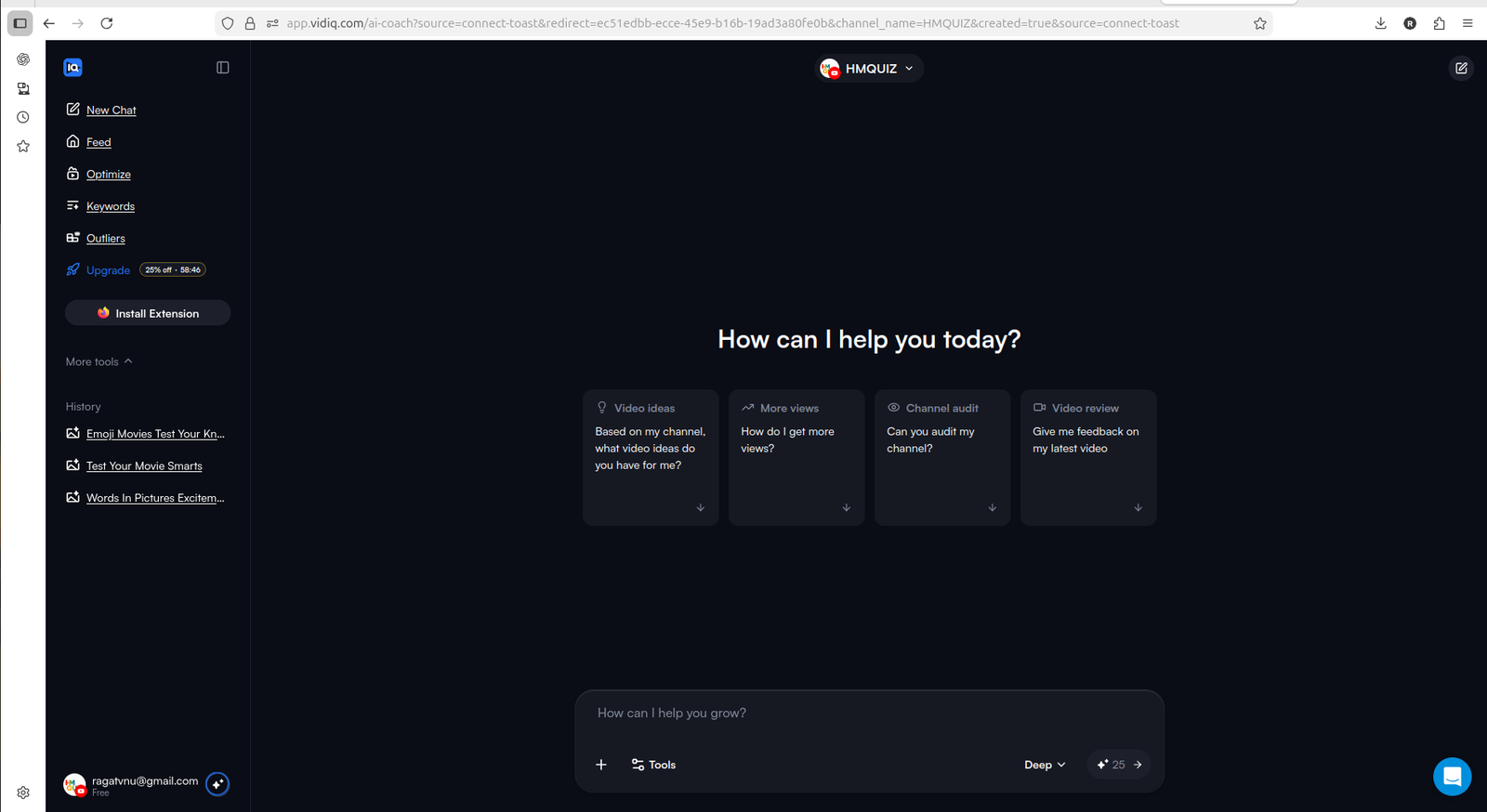
vidIQ's dashboard feels approachable because it gives small creators prompt-based starting points instead of forcing them to dig through menus.
What vidIQ Does Well
vidIQ's biggest strength is that it helps you move from "I do not know what to do" to "here are a few things to check."
That sounds simple, but it matters. Small creators often do not need more dashboards. They need direction.
The areas that stood out most during testing:
- AI prompts — practical starting questions connected to your channel context
- Optimize section — surfaces existing videos that could be improved
- Keywords section — helps with topic discovery and search demand
- Outliers section — spots videos performing better than expected
- Clear free vs paid separation — easy to understand what you get before paying
Key takeaway: vidIQ is strongest as a starting assistant for creators who want ideas, direction, and lightweight optimization guidance.
AI Ideas And Channel Prompts
The AI prompts are one of the better parts of vidIQ.
The tool gives practical starting questions like "How do I get more views?" and "Can you audit my channel?" That feels useful when you are a small creator and do not know which metric to focus on first.
The prompts are not always deeply creative — some feel like standard growth-tool suggestions. But as a starting point, they reduce friction. You can ask for ideas, refine them, and connect them back to your channel instead of starting from a blank page.
For creators who feel overwhelmed by YouTube Studio's raw data, vidIQ's prompt layer makes the tool feel more like an assistant than a dashboard.
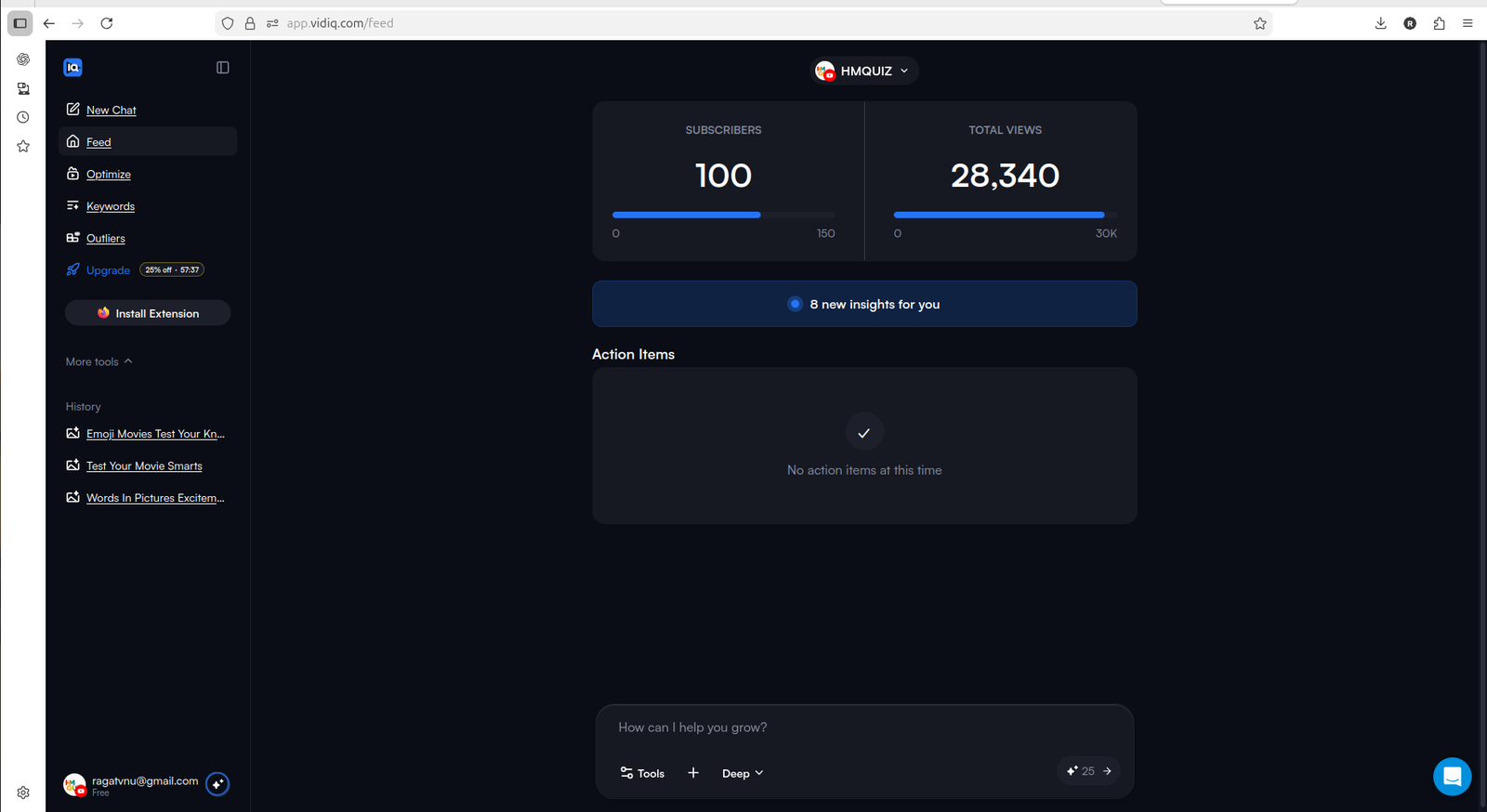
The useful part is not just AI chat. It is AI connected to channel context and action items.
Optimizing Existing Videos
The Optimize section is where vidIQ starts feeling practical.
It showed existing channel videos and gave a way to improve them with limited free credits. For small creators, this is useful because many channels already have old uploads that never got proper title, thumbnail, or SEO attention.
This is where vidIQ has a technical advantage: it connects optimization workflows directly to your YouTube channel data. You are not writing ideas in a separate tool. You are looking at actual videos that may need work.
The limitation is credits. The free plan gives enough to test the workflow, but not enough to treat it as an unlimited optimization engine for a full back catalog.
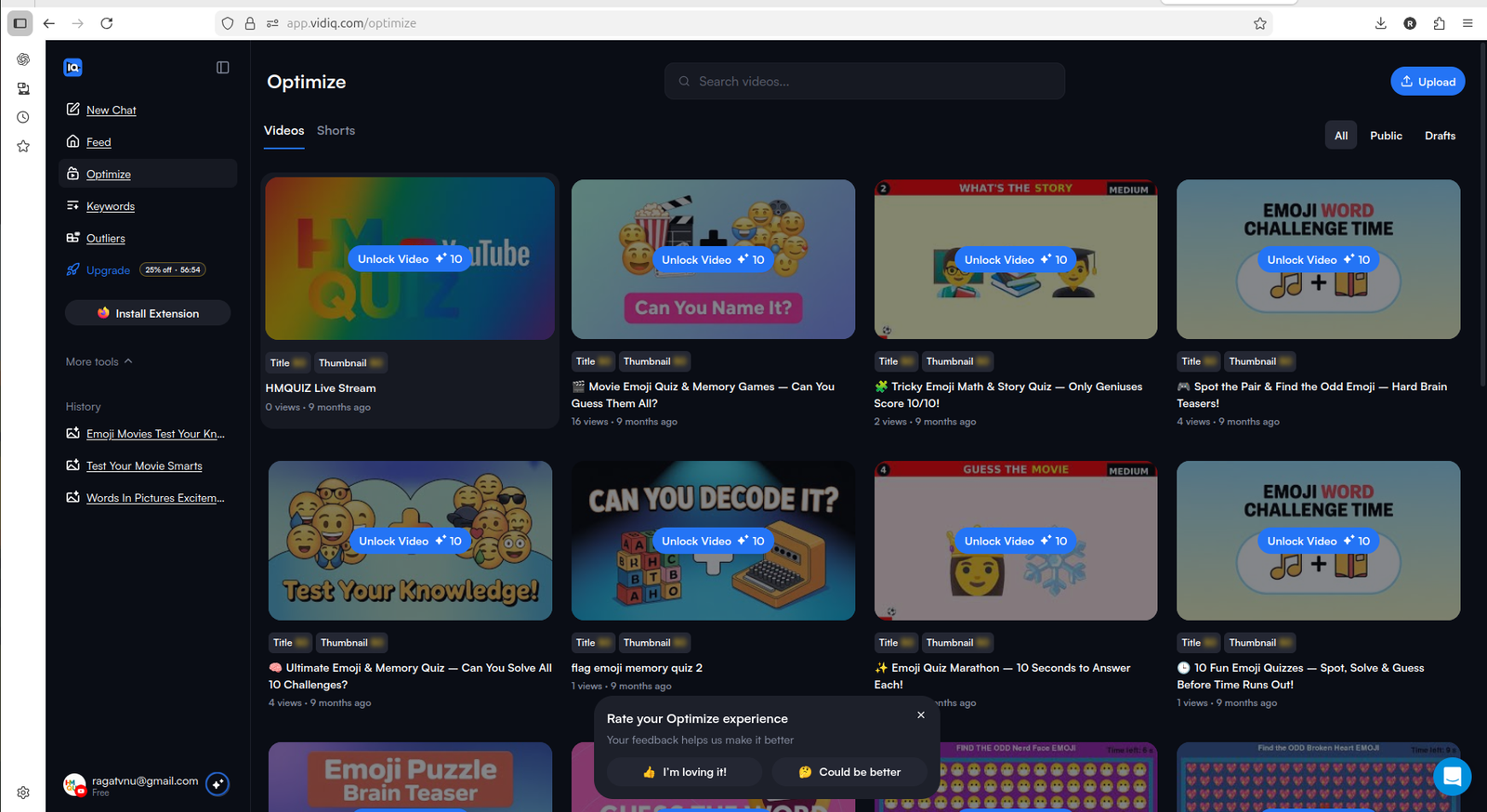
The Optimize section makes vidIQ feel more actionable because it connects suggestions to real videos in the channel.
Keywords And Outliers
The Keywords and Outliers areas help with topic choice — which is often the most important decision a small creator makes.
Keywords help you understand what people may be searching for and how competitive a topic is. vidIQ shows keyword scores, search volume estimates, and related terms. Deeper access pushes toward Boost, but the free tier gives enough to test whether the feature is useful for your workflow.
Outliers help you spot videos performing unusually well compared with normal channel expectations. That can show you format patterns, topic angles, or thumbnail directions worth exploring. For small channels, noticing what is punching above its weight is more useful than chasing broad trends.
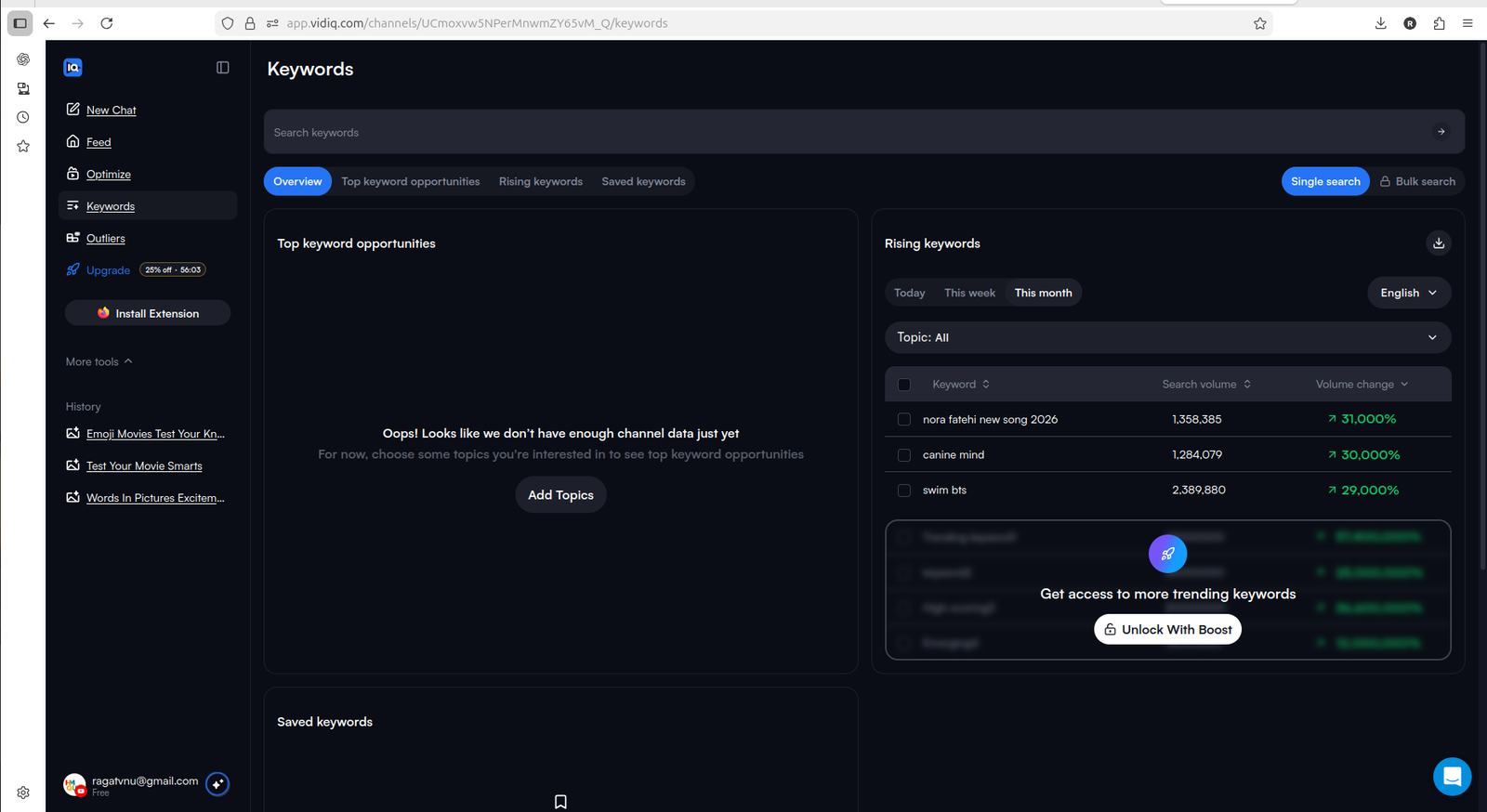
Keyword access is visible on the free plan, but deeper usage quickly pushes toward Boost.
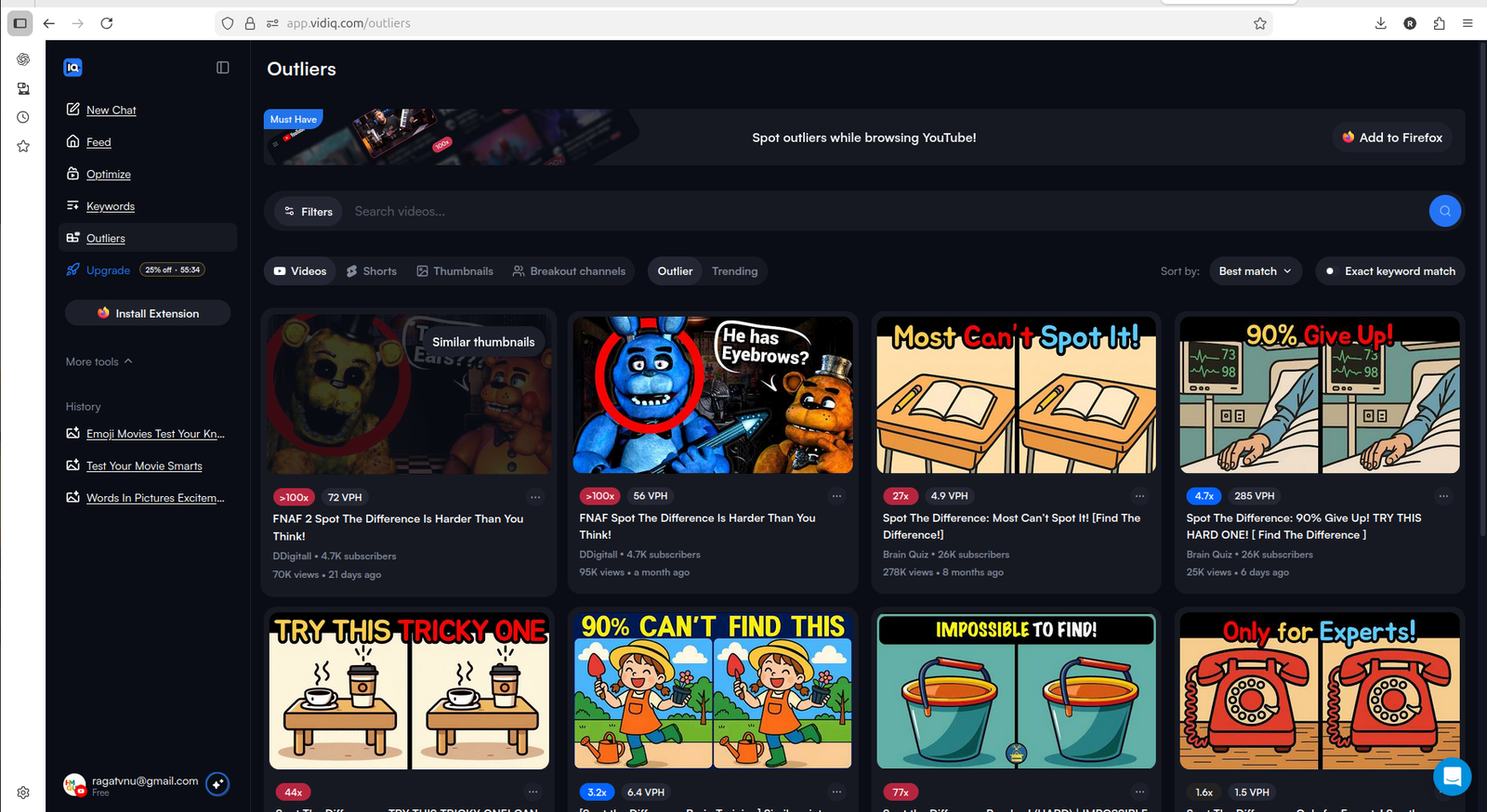
Outliers can help creators notice topic patterns before they waste time on weak ideas.
Pro tip: Do not use keyword tools only to find high-volume terms. For small channels, look for topics where the idea is specific enough to make a clear video, but not so broad that you are immediately competing with large channels.
Where vidIQ Feels Limited
vidIQ is not a magic growth tool. The free plan has real limits worth knowing before you start.
Credit system feels restrictive. You get enough credits to test the workflow but not enough to optimize a full back catalog. As a small creator exploring freely, you keep thinking about whether each action is worth spending credits on.
Outliers and Keywords push toward Boost quickly. The free tier gives a taste, but meaningful repeated use of either feature requires upgrading.
Upgrade pressure is constant. The tool is useful, but the free experience keeps surfacing reminders that the working version requires Boost. That is understandable, but it can feel like a demo rather than a full product.
AI suggestions can feel generic. Some prompts feel like advice you could find anywhere. The quality improves when you ask specific questions about your channel, but you need to know how to prompt it well.
vidIQ Pricing in 2026
Understanding the actual cost helps before deciding whether to upgrade.
vidIQ plans as of 2026:
| Plan | Price | What it includes |
|---|---|---|
| Free | $0 | Limited AI credits, basic keywords, limited daily ideas |
| Boost | ~$16.58/month (annual) | Full keyword data, unlimited video ideas, AI optimization, trend alerts, deeper analytics |
| Coaching + Boost | ~$99/month | Everything in Boost plus one-on-one YouTube coaching and custom growth plan |
For creators under 1,000 subscribers, I would not rush into Boost immediately. Use the free plan first. Test the prompts. Try Optimize on a few videos. Check whether keyword and outlier ideas actually help you make better videos.
If you are not publishing consistently yet, paying may not solve the bigger problem.
Boost is worth considering only when:
- you publish regularly (at least weekly)
- you use vidIQ every week as part of your workflow
- you rely on keyword research for content decisions
- you optimize older videos often
- you can clearly see time saved versus working without it
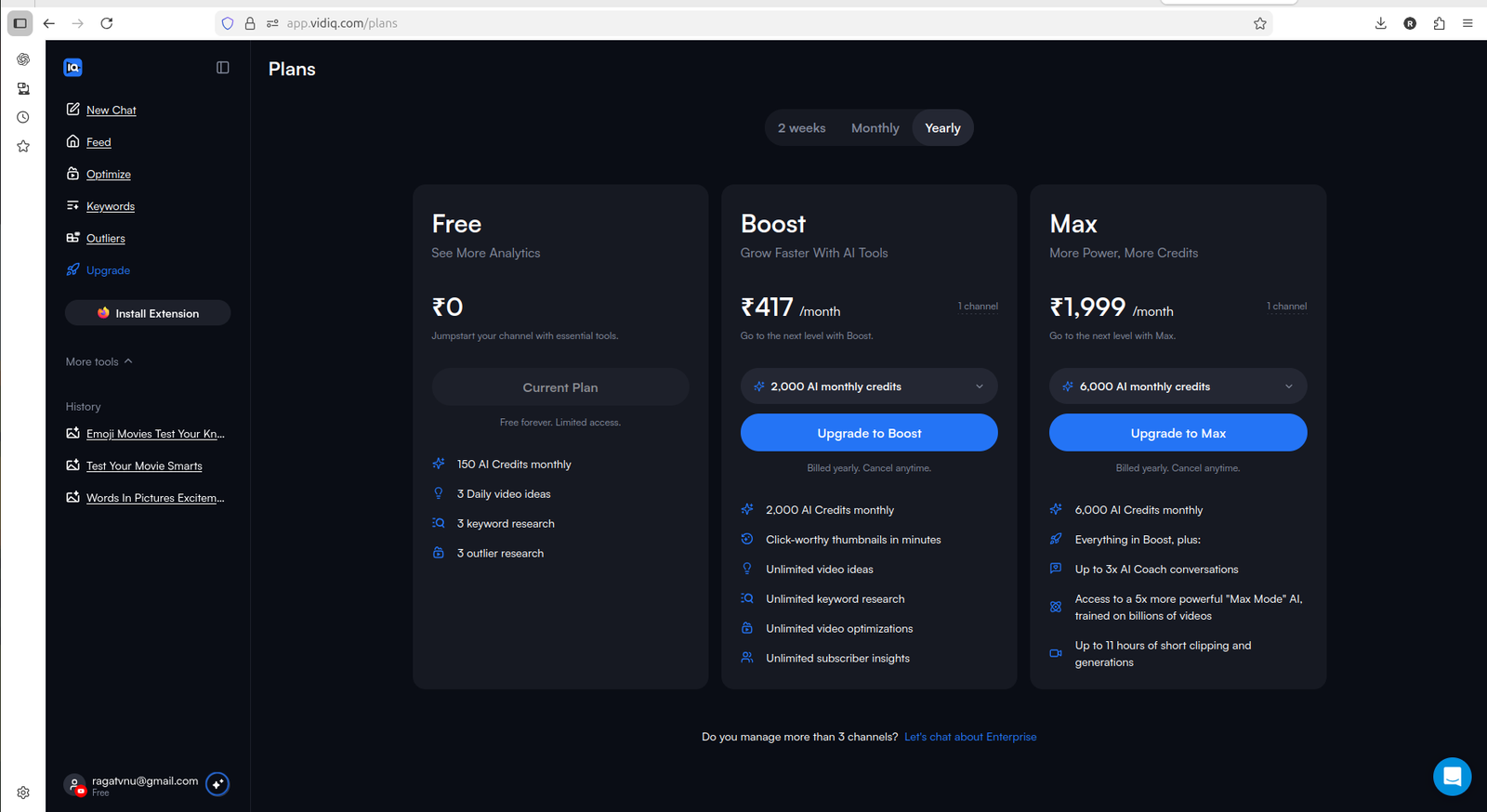
The free plan is useful for testing. Boost makes sense only when vidIQ becomes part of your regular workflow.
If your main concern is whether Boost actually changes what you can do, read vidIQ Free vs Paid next.
vidIQ vs TubeBuddy: Which Should You Start With
If you are deciding between vidIQ and TubeBuddy, the main difference is approach and free plan usefulness.
| Area | vidIQ | TubeBuddy |
|---|---|---|
| First use feel | Beginner-friendly assistant | Structured SEO toolkit |
| Free plan usefulness | More working access | Limited, preview-style |
| AI idea generation | Stronger, conversational | Less prominent |
| Keyword research | Available free with limits | Stronger at Pro+ |
| Pricing entry point | $16.58/month (Boost, annual) | $4.50/month (Pro, sub-1k discount) |
| Best for | Idea-first creators | SEO-focused creators |
For most small creators, vidIQ is the better first tool to test because the free plan gives more working access. TubeBuddy is worth considering later when you are ready to invest in a structured YouTube SEO workflow — especially at the $4.50/month Pro price for channels under 1,000 subscribers.
For the full comparison, read TubeBuddy vs vidIQ.
Who vidIQ Is Best For
vidIQ is best for small creators who want help deciding what to do next.
It is especially useful for:
- creators who need video ideas and do not know where to start
- creators who want AI-assisted channel prompts
- creators with older videos to optimize
- creators who want to test before paying
- creators who feel overwhelmed by YouTube Studio
- creators who want simple growth direction without a steep learning curve
It is less useful for:
- creators who rarely publish
- creators who do not update old videos
- creators expecting a tool to tell them exactly what will go viral
- creators who need repurposing tools — see OpusClip Review 2026 instead
Final Verdict
vidIQ is a strong first YouTube growth tool for small creators in 2026. It is easy to start, gives useful AI prompts, supports idea discovery, and lets you test optimization with limited free credits.
My verdict: Use Free first. Consider Boost only after you publish consistently.
I would not call it an automatic buy for every small creator. But it is one of the better first tools to test because the free plan actually lets you experience the workflow before paying.
- Choose vidIQ if you want a beginner-friendly tool for ideas, optimization, and AI-guided channel questions
- Choose TubeBuddy if you prefer a more structured optimization toolkit and are ready to evaluate deeper paid workflows at $9/month ($4.50/month for sub-1k channels)
- Stay free on both if you are still learning your content format and do not publish often enough to justify another tool
FAQ
Is vidIQ free plan enough for small YouTube creators?
vidIQ's free plan is enough to test the tool, explore AI prompts, and try limited optimization workflows. It is not enough for ongoing serious keyword research, repeated optimization, or deeper outlier discovery — those require Boost.
How much does vidIQ cost?
vidIQ's Boost plan costs around $16.58/month with annual billing. The free plan is available with limited credits. Coaching + Boost costs around $99/month and adds one-on-one YouTube mentorship.
Is vidIQ Boost worth it for creators under 1,000 subscribers?
For creators under 1,000 subscribers, start with the free plan first. Boost becomes more useful only if you publish regularly, use vidIQ every week, and clearly benefit from keyword research, optimization, and AI planning.
Is vidIQ better than TubeBuddy?
vidIQ feels easier to start with and more useful on the free plan. TubeBuddy feels more like a structured optimization toolkit with a more affordable paid entry point ($4.50/month with sub-1k discount). For small creators, vidIQ is usually the better first tool to test.
Does vidIQ help with video ideas?
Yes. vidIQ combines AI prompts, channel context, keywords, and outlier discovery to help with video ideas. It will not guarantee viral videos, but it can help reduce guessing about what to make next.
Should I pay for vidIQ immediately?
No. Use the free plan first. Pay only if vidIQ becomes part of your regular workflow and helps you make better video decisions consistently.