
Review
vidIQ Free vs Paid 2026: What’s Free, What Needs Boost
Hands-on vidIQ free vs paid for small creators: free credits, AI ideas, optimization, keyword tools, outliers, and when Boost is worth paying for.
Note: initial testing predates the CreatorIntelHQ evidence database; a logged retest is planned.
This review is for small YouTube-first creators trying to understand what vidIQ gives you for free, what feels genuinely useful, and where the paid Boost plan starts to matter.
If you are comparing vidIQ with broader creator workflow tools, you may also want to read our vidIQ Review 2026, TubeBuddy vs vidIQ, and Best YouTube Tools for Small Creators.
Quick verdict: vidIQ’s free plan feels useful for testing because it gives limited credits for ideas, SEO, and optimization workflows. But the free plan is not enough for ongoing channel work. If you want repeated optimization, more keyword research, and deeper outlier discovery, Boost is where vidIQ starts to become a fuller working tool.
Disclosure: This page may contain affiliate links. If you choose a tool through those links, CreatorIntelHQ may earn a commission at no extra cost to you. Reviews are written to focus on practical fit, workflow value, and real creator use.
Based on hands-on testing · How we test creator tools
Why I Tested vidIQ For HMQUIZ
I tested vidIQ from the perspective of a small creator running a channel like HMQUIZ.
My goal was simple: I wanted to see whether vidIQ is useful before paying. I wanted to understand what the free plan actually gives, where credits run out, what gets locked behind Boost, and whether the platform feels practical for a small YouTube creator.
After connecting the YouTube channel, vidIQ imported the channel videos and started showing suggestions, AI prompts, optimization areas, keywords, and outlier discovery. The first impression was positive because the interface felt clean and easy to understand.
First Impression: vidIQ Feels Beginner-Friendly
vidIQ felt easier to start with than many creator tools.
The dashboard was clean, the left navigation was simple, and the tool quickly showed areas like Feed, Search, Analytics, Optimize, Keywords, and Outliers. It also suggested installing the browser extension, but the main dashboard itself was still easy to explore.
The most useful early part was the AI-style prompt area. vidIQ suggested questions like:
- video ideas
- how to get more views
- channel audit
- audit my channel
- feedback on a YouTube video
That made the tool feel less like a complicated analytics dashboard and more like a guided assistant.
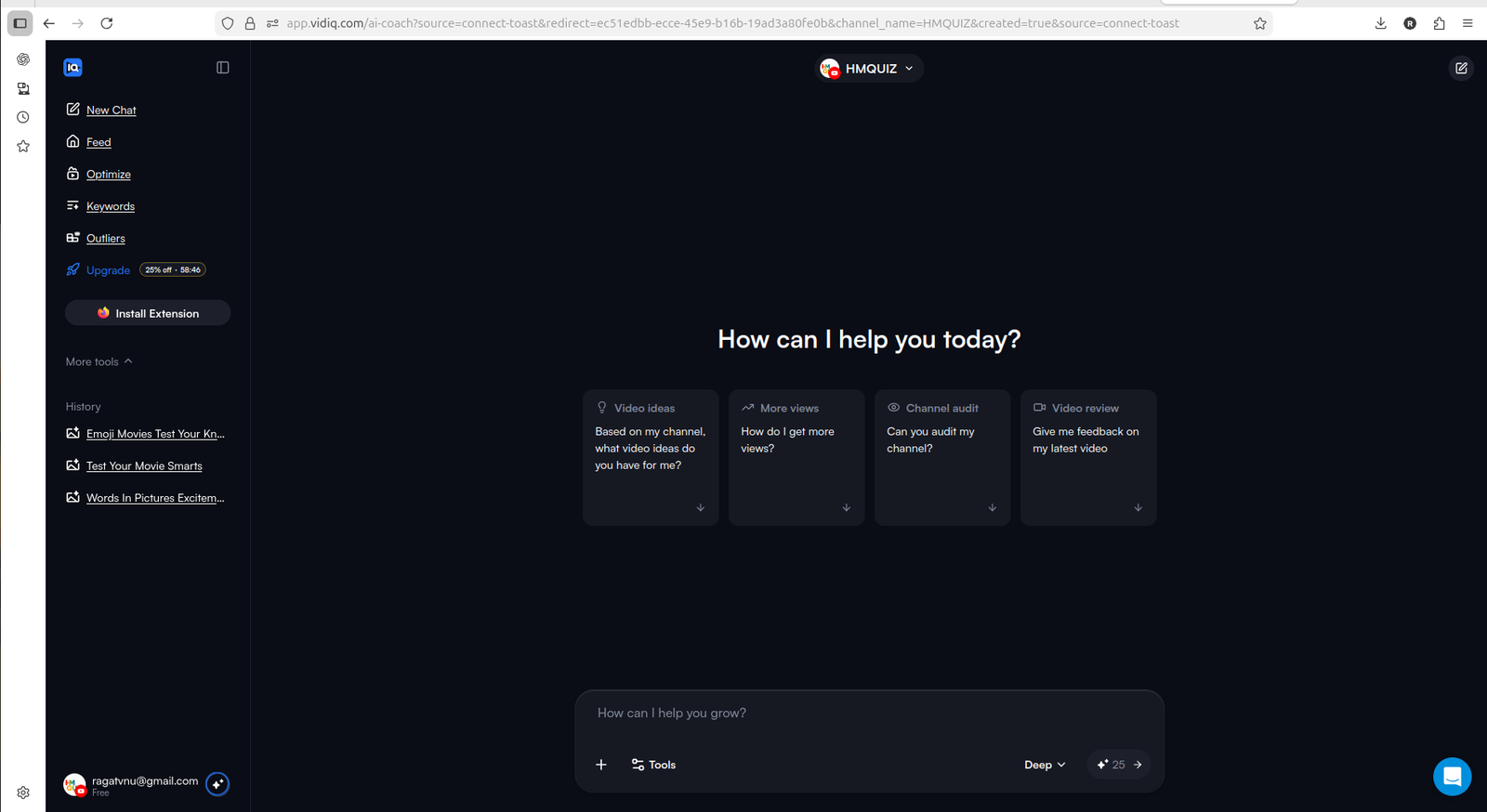
vidIQ feels beginner-friendly because it gives small creators clear AI-style prompts instead of making them search for every feature manually.
What You Can Use On The Free Plan
The free plan is not unlimited, but it does give you enough to test the product.
During my testing, vidIQ showed limited access to AI credits, daily video ideas, keyword research, outlier research, and optimization workflows. This was important because I could actually try parts of the tool instead of only seeing locked pages.
That makes the free plan useful for:
- understanding the dashboard
- testing AI prompts
- seeing channel-specific suggestions
- checking some optimization workflows
- exploring keyword and outlier sections
- deciding whether the tool fits your style
For a small creator, that matters. You do not want to pay before knowing whether a tool makes sense for your workflow.
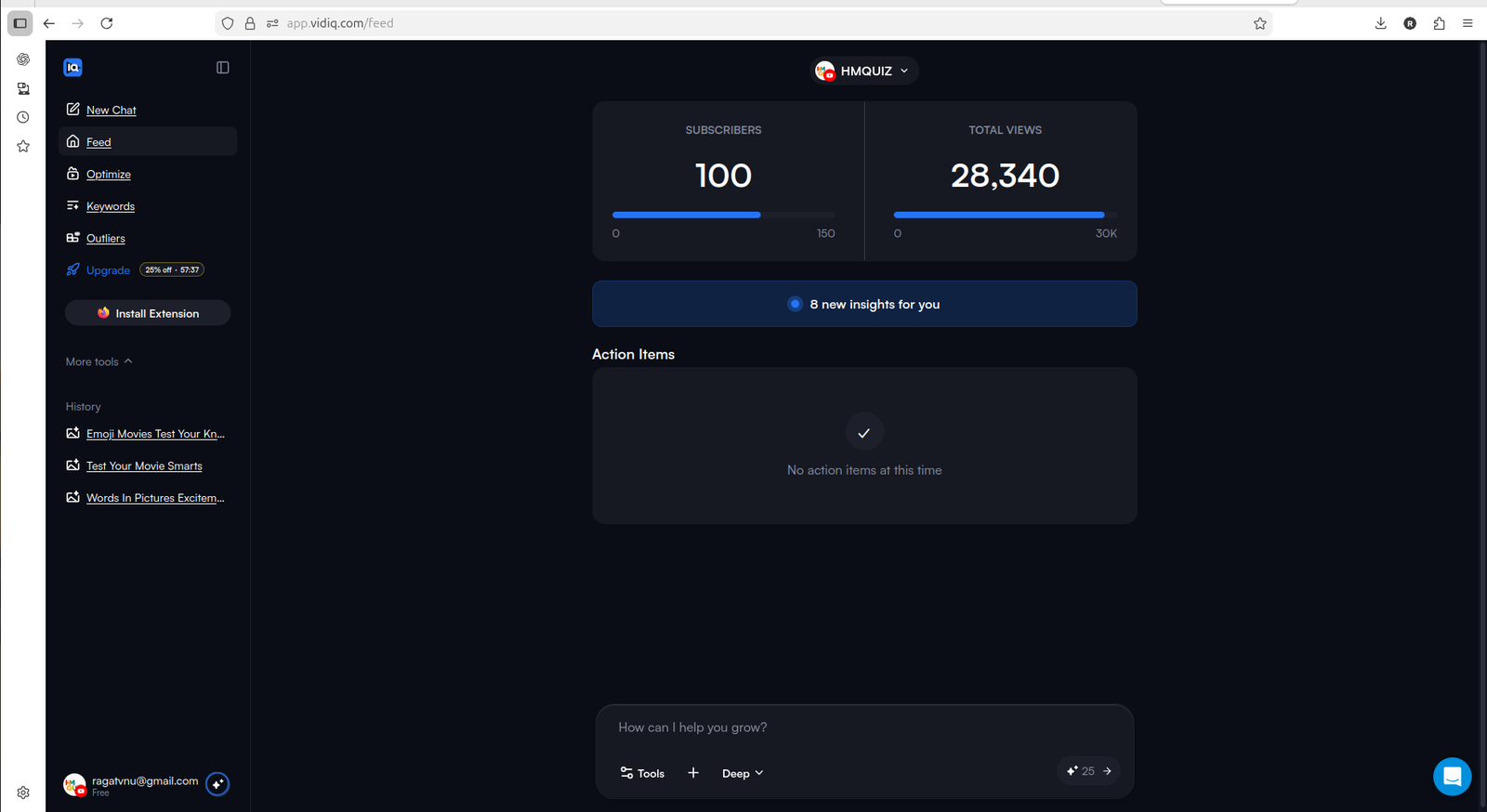
vidIQ starts giving channel-specific signals and action items after connecting the YouTube channel.
Where The Free Plan Starts Feeling Limited
The free plan is useful for testing, but not enough for serious ongoing use.
The biggest limitation is credits. vidIQ gives limited credits across AI and optimization-related workflows. That is helpful for trying the tool, but if you have many videos, those credits can run out quickly.
For example, the Optimize section showed existing videos and gave a way to improve them. That is useful, especially for a small channel with older uploads. But limited credits mean you cannot treat the free plan as a complete long-term optimization system.
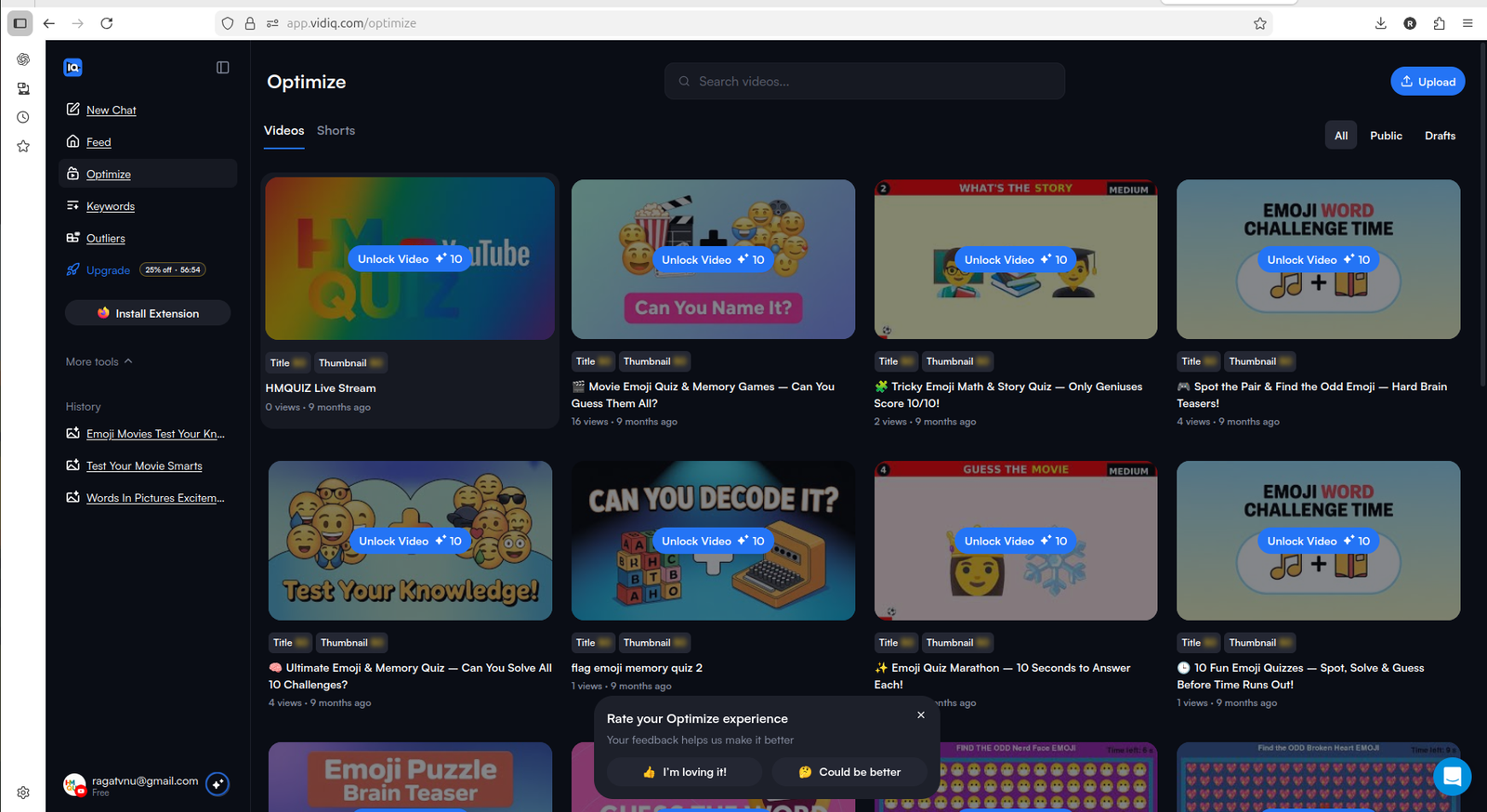
The Optimize section is useful because it shows existing videos that may need improvement, but free credits limit how much you can do.
If your workflow is more about repurposing existing long videos into Shorts than optimizing titles, keywords, and older uploads, our OpusClip Review 2026 is a better next read.
Keywords: Useful Direction, But Boost Matters
The Keywords section looked useful, but deeper access was limited.
In my test, the keyword area showed keyword opportunities and trending keyword sections, but it also showed that more access required Boost. That makes sense from a product point of view, but it also means the free plan is not enough if keyword research is your main reason for using vidIQ.
If you only want to understand how vidIQ handles keyword suggestions, free is enough to explore. But if you want to use keyword research repeatedly for video planning, Boost becomes more relevant.
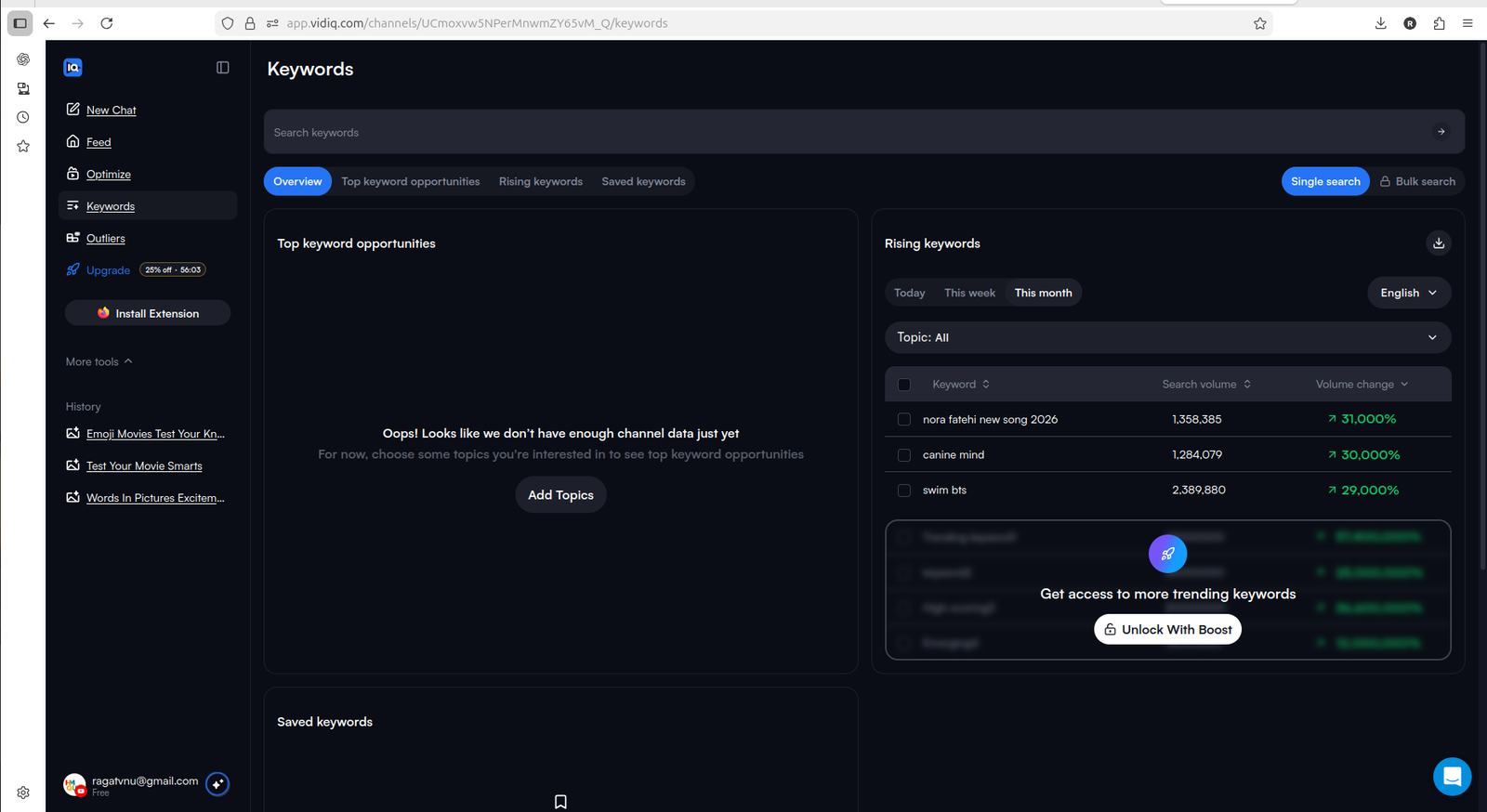
Keyword discovery is visible in vidIQ, but deeper access and more usage push you toward Boost.
Outliers: Helpful For Ideas, But Also Gated
The Outliers section was one of the more interesting parts of vidIQ.
For small creators, outlier discovery can be useful because it helps you see videos that are performing better than expected. That can lead to better topic ideas, thumbnail inspiration, and content angles.
But again, the free experience has limits. vidIQ showed some outlier access, but unlocking more outlier channels required Boost.
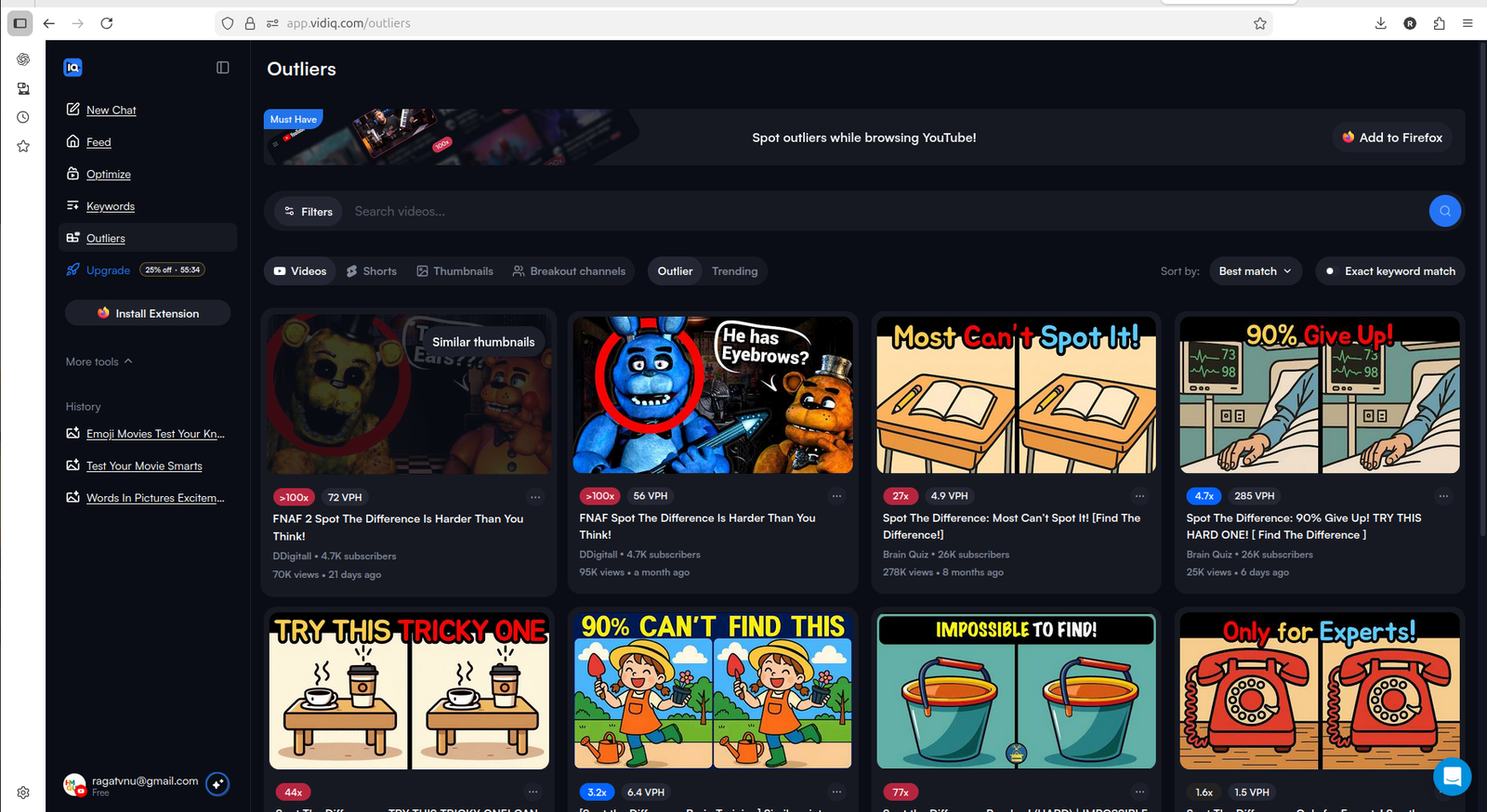
Outliers can help creators find content patterns and topic ideas that are performing better than expected.
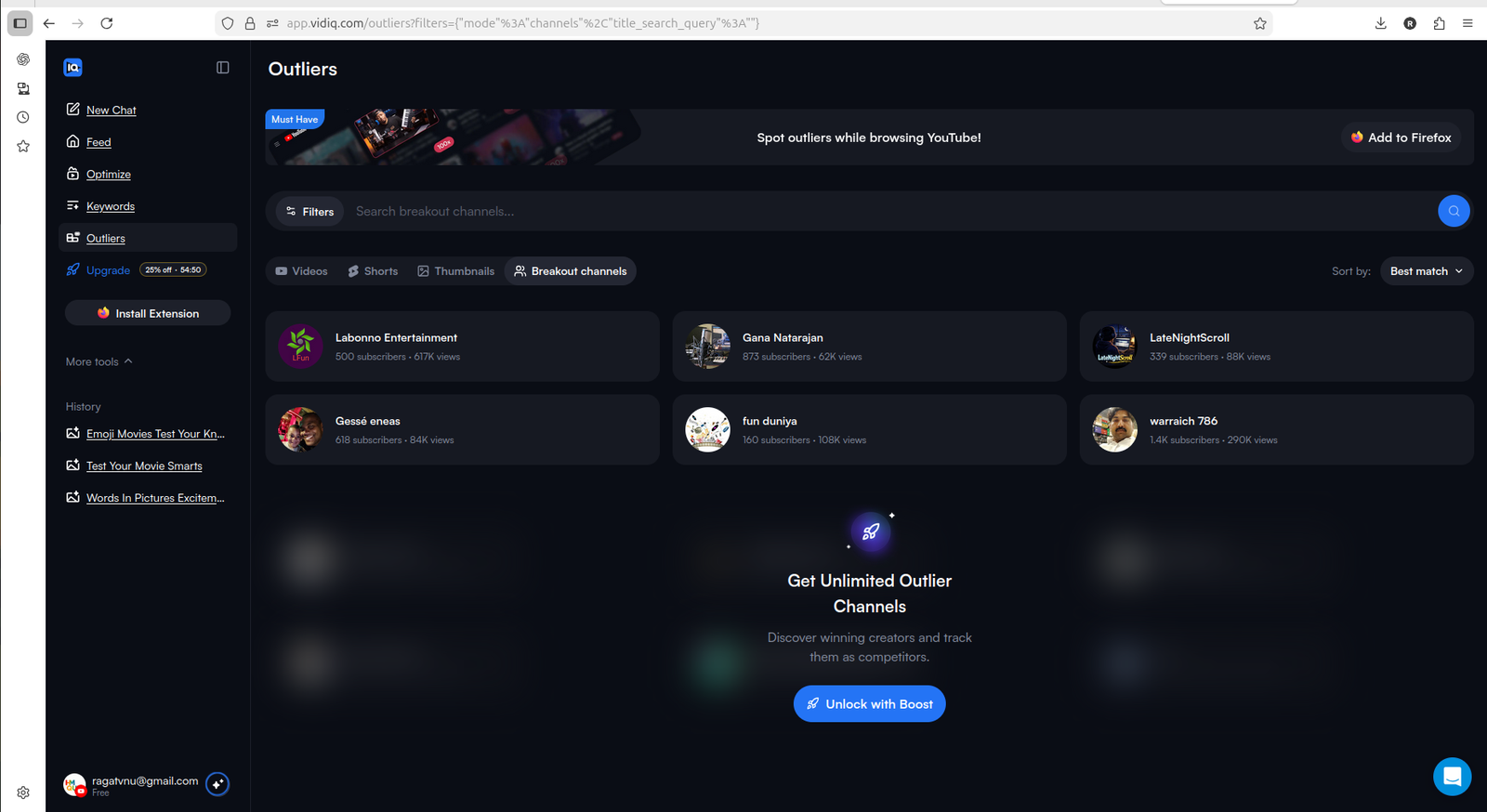
Unlimited outlier access requires Boost, so the free plan is better for testing than ongoing research.
What Boost And Max Appear To Unlock
vidIQ’s pricing screen made the plan difference easy to understand.
The free plan gave limited AI credits, daily video ideas, keyword research, and outlier research. Boost unlocked much more, including higher AI credits, unlimited video ideas, unlimited keyword research, unlimited video optimizations, and subscriber insights. Max added higher AI usage and stronger AI capabilities.
The important point is that vidIQ makes the upgrade path clear. You can test the tool on free, understand the workflow, and then decide whether Boost is worth it.
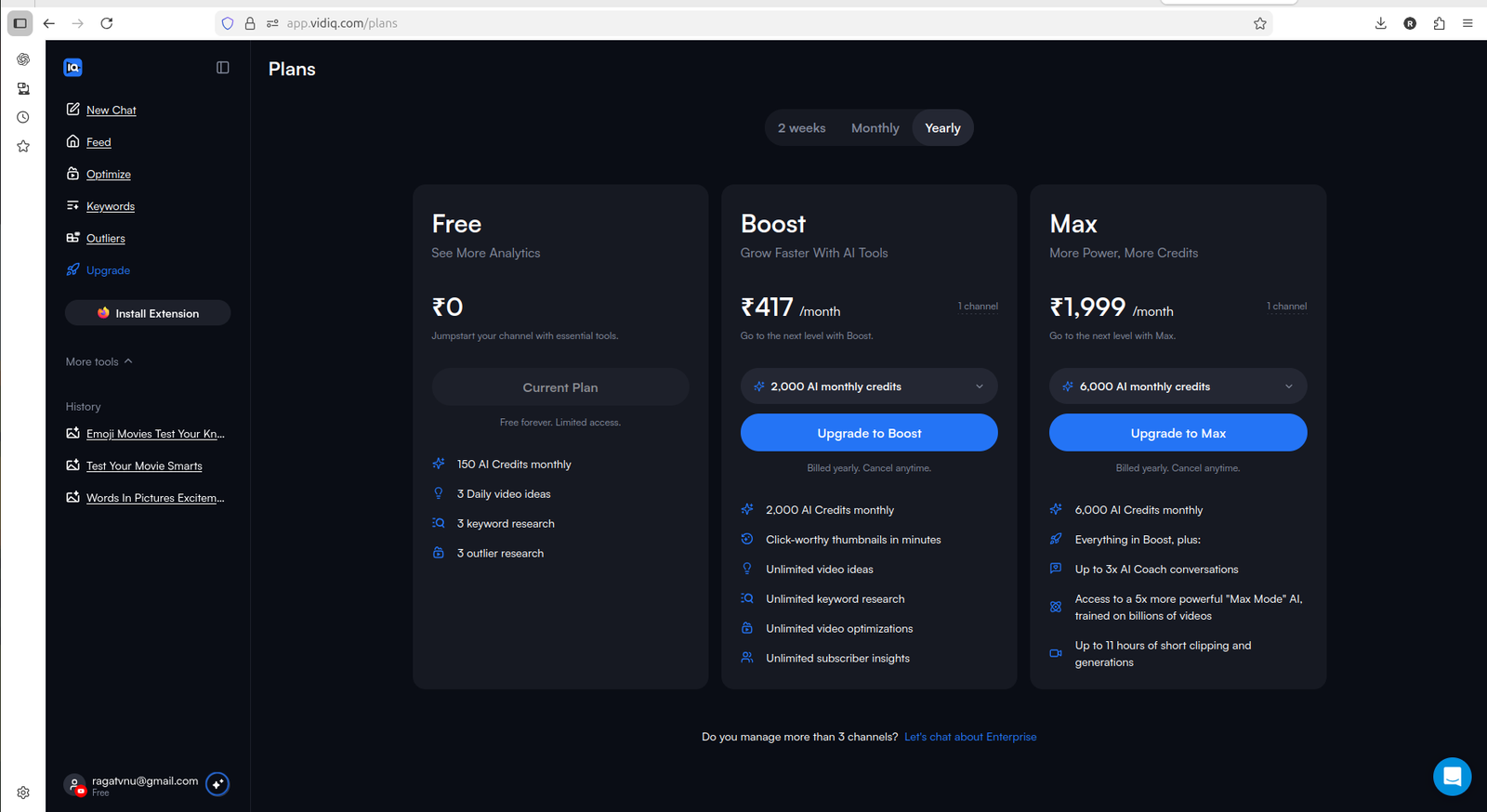
vidIQ clearly separates Free, Boost, and Max, with Boost positioned as the plan where repeated creator workflows become more usable.
Who Should Stay Free
Stay on the free plan if you are still exploring vidIQ.
The free plan is enough if you want to:
- understand the dashboard
- test AI prompts
- see how vidIQ thinks about your channel
- try a few optimization workflows
- explore keyword and outlier sections
- decide whether the tool feels useful before paying
For small creators, this is a good starting point. You can learn the interface and test the workflow without committing immediately.
Who Should Consider Boost
Boost starts making sense if you already know you will use vidIQ regularly.
Consider Boost if you want:
- more AI credits
- more video ideas
- repeated keyword research
- more video optimization access
- deeper outlier research
- more subscriber and channel insights
- a more complete workflow instead of occasional testing
The free plan gives a taste. Boost is where vidIQ starts to feel more like an ongoing creator tool.
If you are still comparing this upgrade decision with other creator-tool paths, also see our TubeBuddy Free vs Paid and TubeBuddy vs vidIQ.
Final Verdict: Is vidIQ Free Enough?
vidIQ’s free plan is useful, but it is not enough for serious ongoing channel work.
That is not a bad thing. The free plan does its job well: it lets you test the dashboard, see AI prompts, explore channel suggestions, and try limited optimization features. For a small creator, that is more useful than a free plan that only shows locked screens.
But if you want to use vidIQ repeatedly for ideas, optimization, keyword research, and outlier discovery, Boost is probably where the real workflow begins.
My practical verdict:
- use Free if you want to test vidIQ and understand whether it fits your channel
- consider Boost if you want repeated optimization, keyword research, and idea workflows
- consider Max only if AI usage and deeper creator intelligence become central to your workflow
For HMQUIZ-style creators, I would start with the free plan first, use the credits carefully, and only upgrade if vidIQ becomes part of the regular content planning and optimization process.
If your main bottleneck is short-form repurposing instead of optimization research, read our OpusClip Review 2026. If you want the broader hands-on tool view, see our vidIQ Review 2026.