
The AI Video Free Plan Checklist: 7 Things to Test in the First 10 Minutes
You find an AI clip tool. The website says free plan. You sign up, spend twenty minutes uploading your video, wait for it to process, get excited about the results — and then you click Download and hit an upgrade wall.
That sequence has played out on four different tools during testing, and it stings every time, because the wasted part isn't the money. It's the hour. You already rearranged your evening around "I'll just try this real quick," and now you're staring at a modal asking for a card before you can save the one clip you actually wanted.
So here's the fix. Before you learn a single keyboard shortcut, run these seven checks. Each one takes under ninety seconds, and together they tell you whether an ai clip tool free plan export blocked situation is waiting for you at the end. Do this triage first, and you'll never again lose an hour to a tool that was never going to let you leave with a file.
Based on CreatorIntelHQ methodology · How we test creator tools
Step 1 — Test the upload before you invest any time
The fastest way to waste ten minutes is to trim and prep your video, then discover the tool won't accept it. Upload first, before you touch anything else.
This matters more than it sounds. When an MKV file was dragged into Vizard, it was rejected outright — the tool only accepts MP4, MOV, 3GP, AVI, MP3, WAV, and M4A. Quso.ai did the same thing, refusing an MKV and allowing only MP4, WEBM, and QuickTime. If you screen-record to MKV (OBS does this by default), you'll hit a brick wall on the majority of these tools before you've even started.
The consequence is simple: convert to MP4 before you sign up for anything, or the first minute of every test is you fighting your own file format instead of evaluating the tool.
Step 2 — Check whether credits are shown upfront
You want to know what you're spending before you spend it, not after.
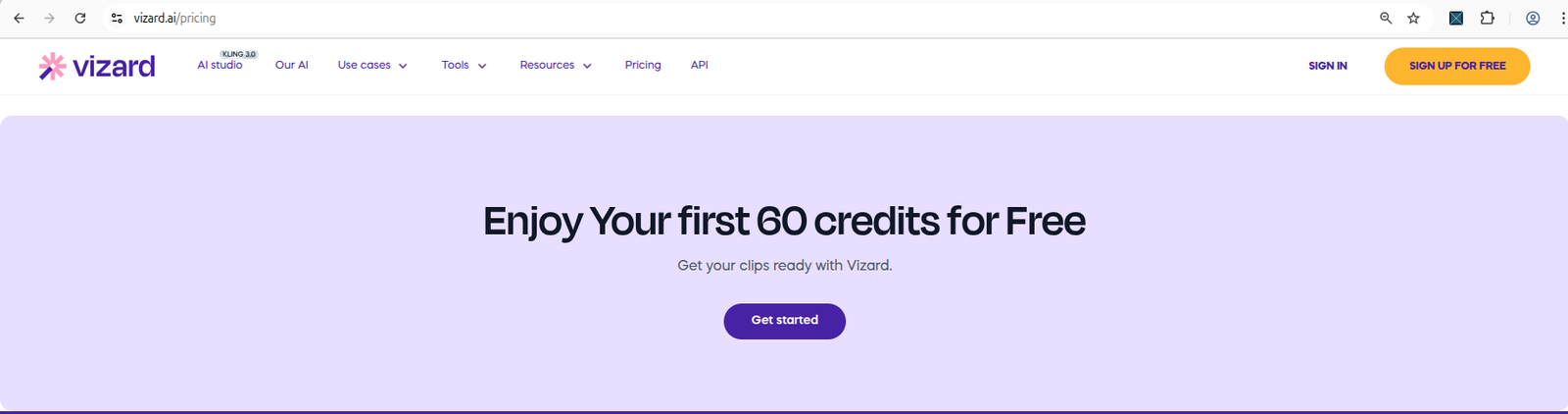
Vizard does this honestly — sign in and there are 60 credits sitting on the dashboard where you can see them. Upload a video and the number ticks to 59 right in front of you. That transparency lets you plan: you know roughly how many test runs you get this month.
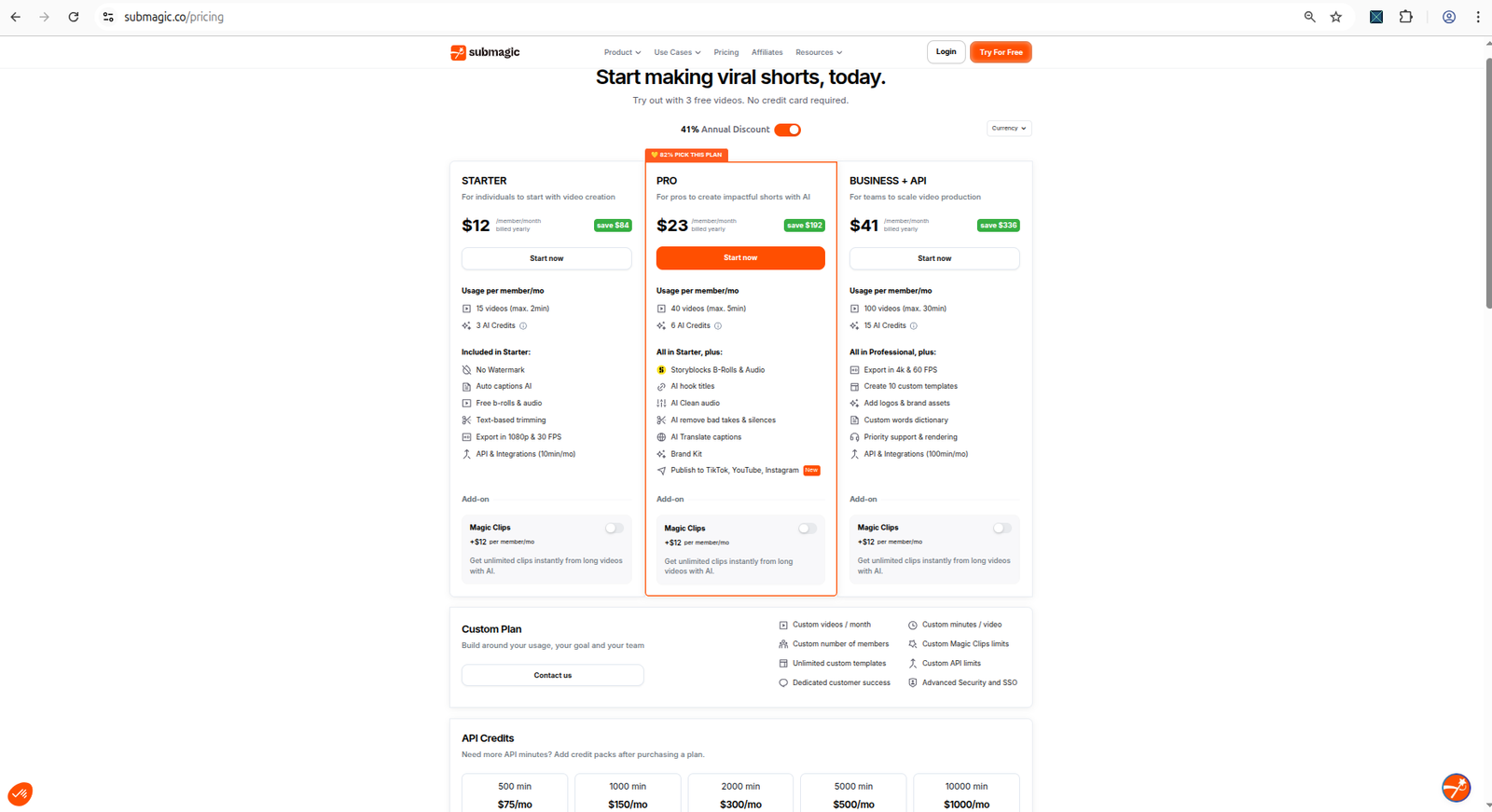
Now contrast that with Quso.ai, where the public pricing page advertises 75 credits/month but the in-app billing page didn't actually display that allowance anywhere — you only saw a per-job credit estimate at the moment of generation. When a tool hides the meter, you're flying blind, and you can't tell whether one experiment just ate your whole month.
Look for a visible, always-on credit counter. If you can't find your balance in the first two minutes, that's a small red flag about how the whole plan is going to treat you.
Step 3 — Run one real clip, not the demo
The pre-loaded demo project is there to impress you. Ignore it. Upload your own footage and generate one actual clip, because the demo will never show you where the plan breaks.
This is exactly how Submagic gets you. The caption workflow is genuinely smooth — upload, pick a style, generate, and a captioned clip opens in the editor looking great. You'd happily tell a friend it works. But the preview looking good is not the same as the file being yours, and you won't learn that until step 4.
Use your own 30-second clip. If a tool only looks good on its own demo footage, you haven't tested anything.
Step 4 — Click Download before you celebrate
This is the single most important check, and it's the one everyone skips because they're too busy being impressed by the preview.
Click the actual Download or Export button. Right now. Before you tweak captions or admire the reframe.
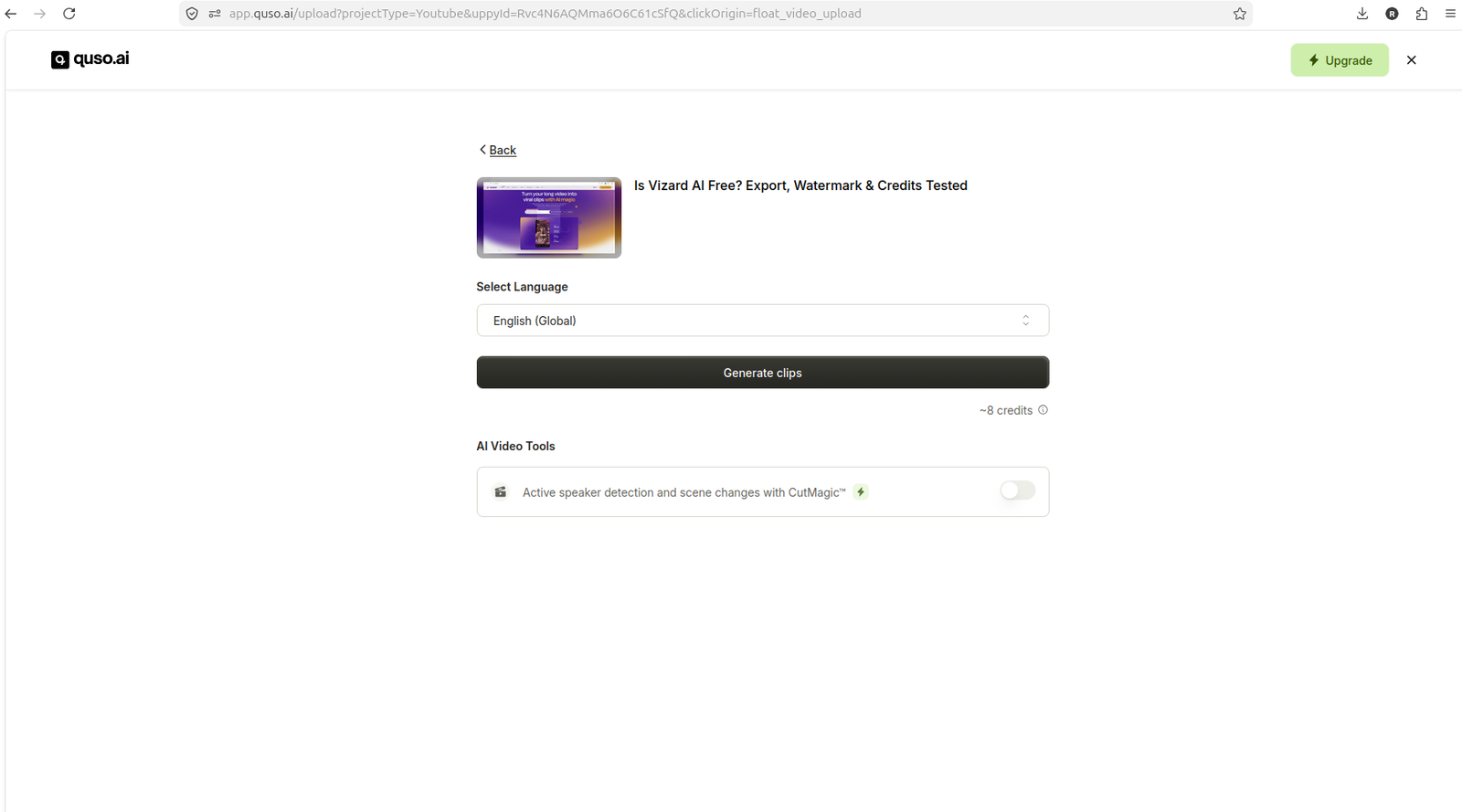
Here's why it's non-negotiable: Quso.ai never even got that far. After importing a video and reaching the "Generate clips" screen — with an estimated cost of about 8 credits for a YouTube link, or roughly 1 credit for a local MP4 — clicking Generate opened a paid-plan upgrade modal instead of starting the job. No clip. No credits spent. Just a wall. The quso ai free plan blocked you before generation even completed, which means every minute you'd spend learning its interface is a minute you'll never get back.
If a tool won't let you produce and reach a downloadable file, nothing else about it matters yet.
Step 5 — Check the watermark on the actual file, not the preview
The editor preview is clean. The exported file is a different story, and you need to open the real download to know.
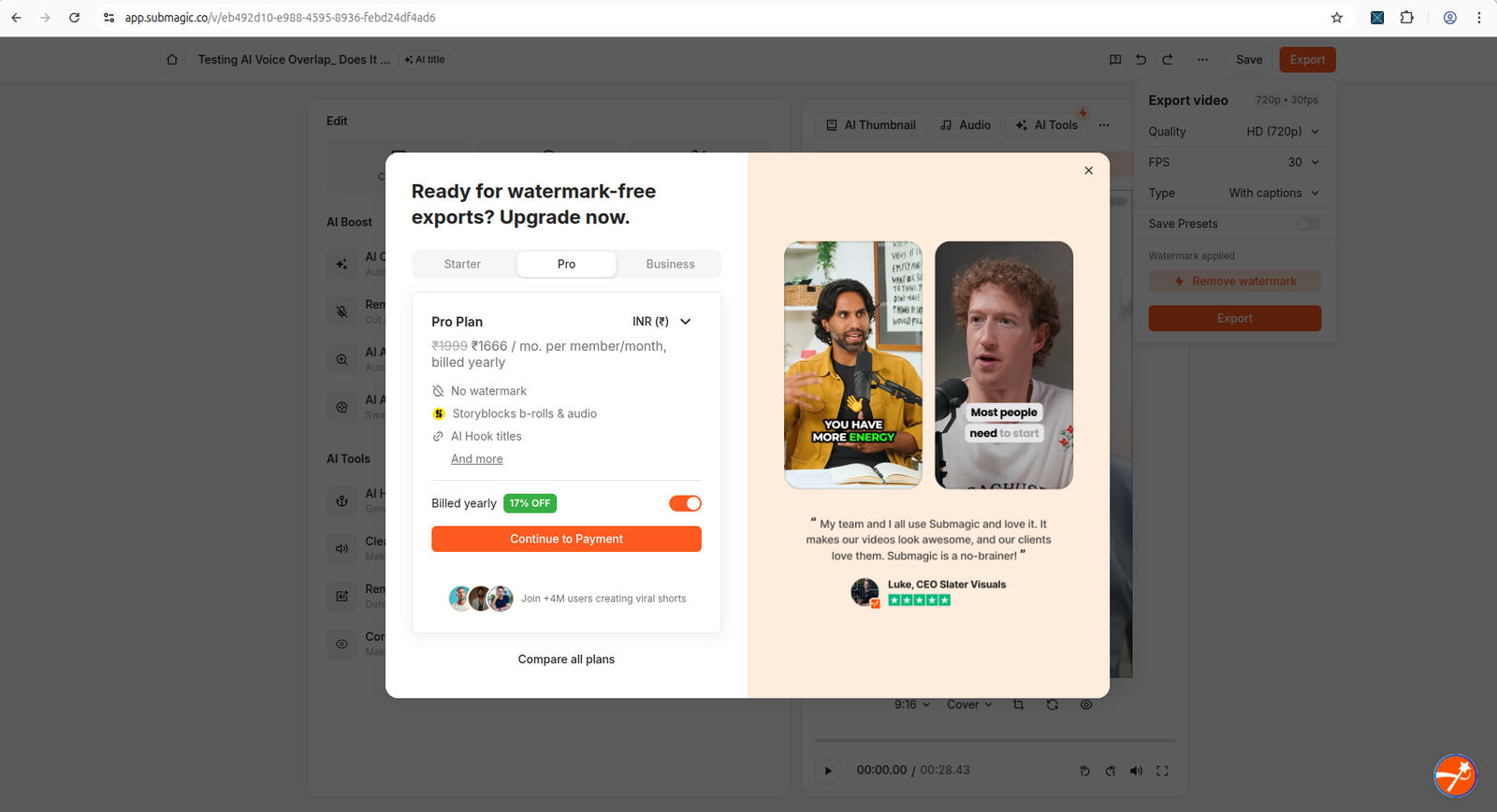
When a clip was downloaded from Vizard, the finished file carried a visible Vizard watermark — the classic vizard ai free plan watermark on download outcome. OpusClip is upfront about the same thing: click Download HD and a popup states plainly that free and trial users get an OpusClip watermark stamped on exported clips. Submagic's editor showed "Watermark applied" with a "Remove watermark" upsell sitting right next to it.
The consequence for you: a preview without a watermark means nothing. Judge the plan by what lands in your downloads folder, because that's what you'd actually be posting.
Step 6 — Note when the upgrade pressure hits
Where the paywall appears tells you how much of the tool you're allowed to evaluate for free. Timing is everything.
- At generation (Quso.ai): the worst case. You can't judge output quality at all because you never get output.
- At export (Submagic): you can review the clip and captions, but reaching a download means closing an upgrade popup, and then a second referral popup offering "15 free videos" for sharing a link. That submagic free plan upgrade wall lets you look but makes leaving annoying.
- After the download works (Vizard, OpusClip): the most forgiving. You get a real file to inspect; the catch is the watermark, not a locked door.
Early pressure is a red flag. The later the wall, the more you actually got to test.
Step 7 — Check the file format restrictions before you commit your workflow
Circle back to formats, because this decides whether the tool fits your recording setup, not just this one test.
If your camera or screen recorder outputs MKV, you're blocked on Vizard and Quso.ai until you add a conversion step to every single video. Submagic keeps it tight too: MP4, MOV, or MP3 only, capped at 10 minutes and 2GB. Vizard's free plan caps input at 60 minutes and 1GB with 720p export. Those aren't dealbreakers on their own, but if your typical video is a 90-minute podcast, a 60-minute cap means the free plan can't touch your real content.
Your 10-minute reference table
| The check | OpusClip | Vizard AI | Submagic | Quso.ai |
|---|---|---|---|---|
| 1. Upload accepts your file | Local upload + link/Drive/Zoom | MKV rejected (MP4/MOV/AVI…) | MP4/MOV/MP3, 10 min, 2GB | MKV rejected (MP4/WEBM/MOV) |
| 2. Credits shown upfront | Shown once you start (10 total) | Yes — 60 on dashboard | Counters: 3 videos / 1 clip / 10 min | Estimate only; balance hidden |
| 3. Real clip completes | Yes | Yes (27s in <1 min) | Yes (preview looks great) | Yes, until you generate |
| 4. Download works on free | Yes, watermarked | Yes, watermarked | Export → upgrade + referral popups | No — blocked at generate |
| 5. Watermark on file | Yes | Yes, visible | "Watermark applied" | Listed on pricing page |
| 6. Upgrade pressure hits | After download | After download | At export | At generation |
| 7. Format-friendly | Flexible | MP4 only | MP4/MOV/MP3 | MP4/WEBM/MOV |
Run steps 1 through 4 and you'll know in five minutes whether a tool respects your time. If it fails step 4 the way Quso.ai did, close the tab — there's nothing left to learn. If you want the deeper stopwatch version of this routine, read how to test any AI video tool before paying, and see the full head-to-head in the AI video repurposing comparison.
See the full test results
Every finding in this checklist comes from a hands-on free-plan test. Read the complete write-ups:
Frequently asked questions
Do all AI video tools offer a free plan?
Most do, but free plan quality varies significantly. Vizard AI and OpusClip let you complete the full workflow on free but add a watermark. Submagic and Quso.ai blocked export before we could finish testing.
Can I publish YouTube Shorts from a free AI tool?
Only if the tool doesn't watermark free exports. In our tests, no tool offered completely clean watermark-free exports on the free plan. Vizard and OpusClip watermark all free downloads.
Which AI video tools work with MKV files?
In our tests, Vizard AI rejected MKV files — MP4 and MOV worked. Most tools only accept MP4. Convert your MKV to MP4 before uploading.
Related guides
- How to test any AI video tool before paying — the 15-minute routine behind this checklist.
- Best AI video tool for small YouTubers starting out — which tool to try first on zero budget.