
Review
TubeBuddy Free vs Paid: What You Can See for Free vs What You Can Actually Use in 2026
A hands-on look at TubeBuddy free vs paid, including what is visible in the platform, what gets locked behind upgrades, and who each option fits in 2026.
Note: initial testing predates the CreatorIntelHQ evidence database; a logged retest is planned.
This review is most useful for small creators trying to decide whether TubeBuddy is worth exploring before committing to a paid workflow tool. If you want the broader first-experience write-up beyond pricing and access limits, read TubeBuddy Review 2026.
If you are comparing TubeBuddy with broader creator workflow tools, you may also want to read our TubeBuddy vs vidIQ, vidIQ Review 2026, and Best YouTube Tools for Small Creators.
Quick verdict: TubeBuddy’s free side is useful for exploring the product, understanding the dashboard, and seeing how the platform thinks about growth. But from what I saw, the deeper working value appears to begin when you move into extension-backed workflows and higher-tier paid features.
Disclosure: This page may contain affiliate links. If you choose a tool through those links, CreatorIntelHQ may earn a commission at no extra cost to you. Reviews and comparisons are written to focus on practical fit, workflow value, and real creator use.
Based on hands-on testing · How we test creator tools
Why I Tested TubeBuddy for HMQUIZ
As the person behind HMQUIZ, I wanted to look at TubeBuddy the way a small creator actually experiences it: not as a large YouTube business with a team, but as someone trying to understand whether this tool helps enough to justify paying for it.
My goal was simple. I wanted to see what TubeBuddy feels like when you first get inside, what parts look genuinely useful, where the friction begins, and whether the paid plans seem to unlock real workflow value or mostly stronger marketing language.
What stood out early is that TubeBuddy does not feel tiny when you first land inside it. The interface looks like a serious creator platform. It surfaces dashboards, recommendations, audience context, feature pages, and upgrade paths quickly. At the same time, the more I clicked around, the more obvious it became that there is a big difference between seeing the platform and really using the platform. That gap is what this article is about.
First Impressions: TubeBuddy Looks Bigger Than the Free Experience
My first impression was positive. TubeBuddy looks polished. It feels like it wants to present itself as a full creator operating system rather than just a small browser add-on. The dashboard surfaces cards for views, subscribers, and uploads, and it starts showing growth opportunities instead of leaving you to guess what to do next.
For a small channel like HMQUIZ, that matters. The first few minutes inside a tool usually decide whether it feels useful or overwhelming. TubeBuddy mostly avoids feeling empty.
The main Labs dashboard especially gives a strong “there is a lot here” impression. I could see growth-oriented tools such as A/B test management, retention analysis, keyword rank tracking, health reports, competitor scorecards, and brand alerts. Even without full access to every path, the product does a good job of making the ecosystem look substantial. For a creator browsing options, that alone can be persuasive.
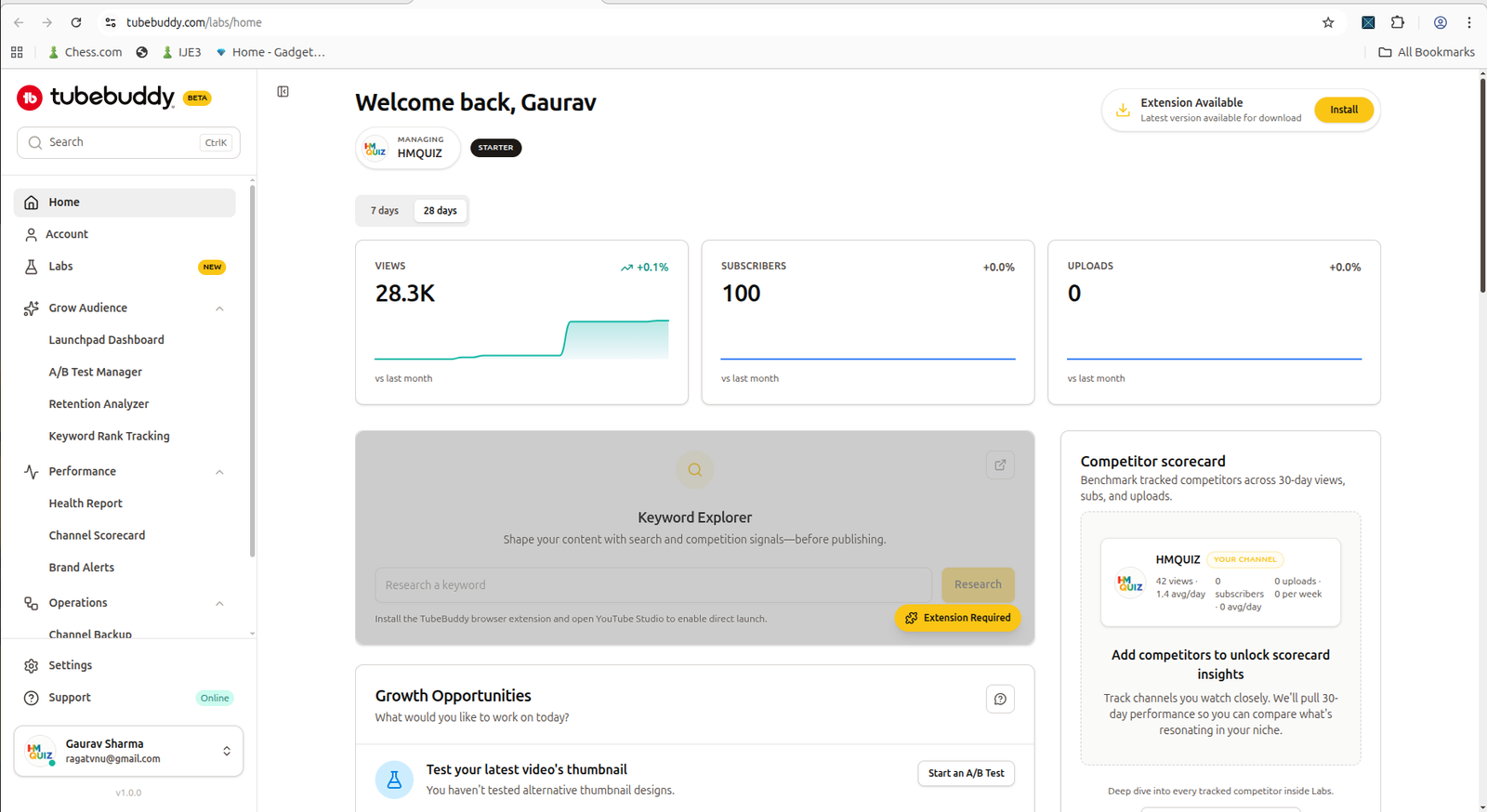
TubeBuddy’s main dashboard makes a strong first impression by surfacing channel metrics and growth prompts right away.
What You Can See Right Away Without Paying More
This is the part where TubeBuddy is genuinely good. Even before the product becomes fully usable, it gives you a strong preview of the kinds of decisions it wants to help with.
The dashboard shows core channel metrics, growth prompts, and audience context. I could see suggestions tied to thumbnails, titles, binge behavior, comments, and community activity. There was enough surfaced on the main screens to understand the product’s direction: TubeBuddy is trying to sit between channel analytics, packaging optimization, and creator workflow support.
One thing I liked is that audience context did not feel buried. Device, region, demographics, and playback-related data were visible in a way that felt easy to scan. For a small creator, that kind of layout is more useful than a dashboard that throws endless charts at you with no obvious next step.
I could also see that TubeBuddy wants to connect analytics to action. It was not only showing numbers. It was pairing those numbers with prompts such as improving thumbnails, reviewing title suggestions, or adjusting engagement workflows. That made the platform feel practical, at least on the surface.
There were also feature pages that looked promising, including title and thumbnail tooling, Launch Pad, checklist-based publishing support, and broader tool pages around SEO, content strategy, and packaging. For a channel like HMQUIZ, that kind of feature surface is attractive because quiz content still depends on titles, thumbnails, retention, and repeatable publishing habits.
The problem is that visible access does not automatically mean usable access.
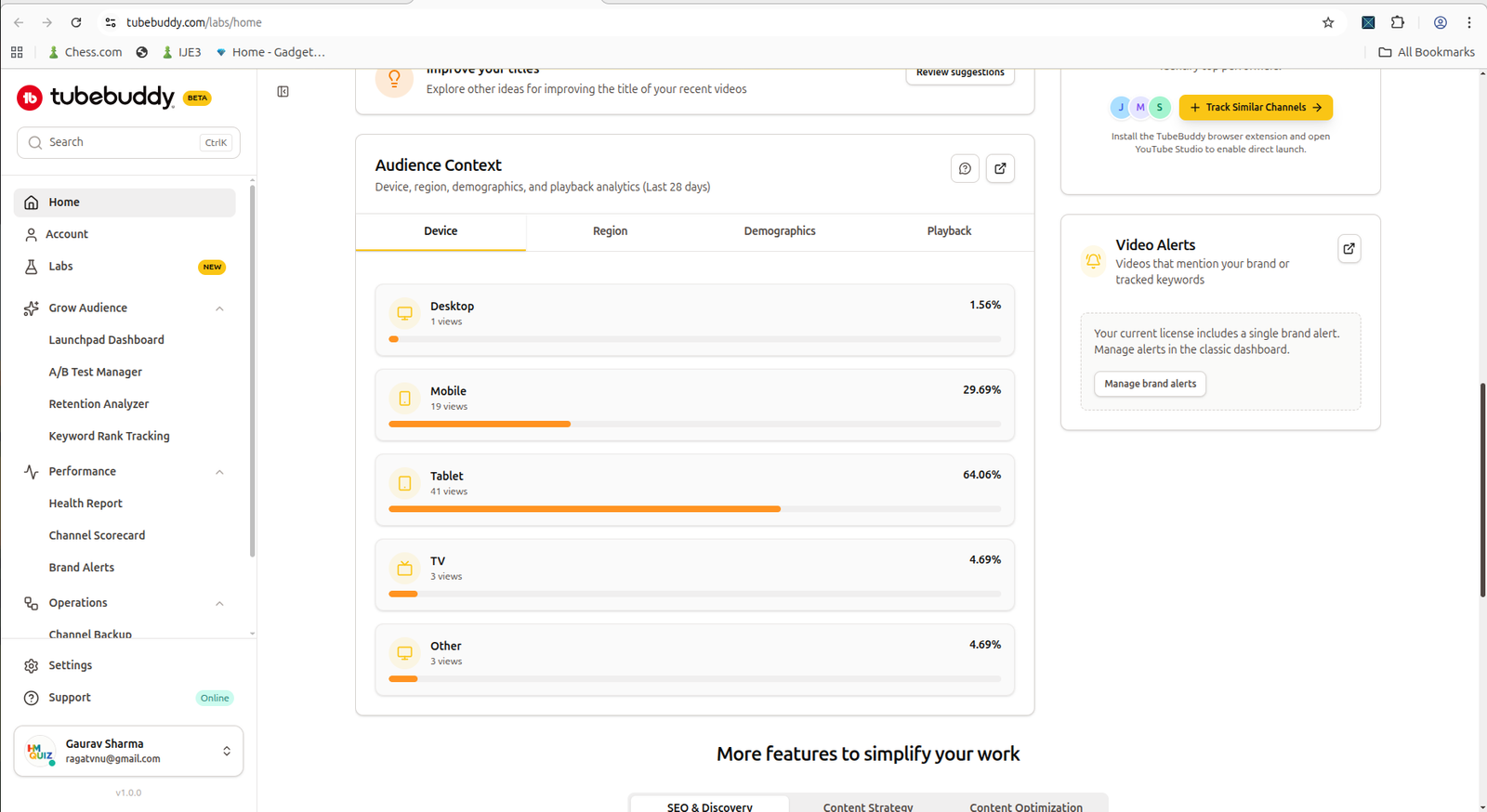
Audience context is one of the stronger early views because it gives a quick-scan look at device mix and other creator-facing signals.
Where the Free Experience Starts Adding Friction
This is where my experience changed. TubeBuddy does a good job showing potential, but it also shows friction quickly.
The first type of friction is extension dependency. Some parts of the product clearly push you toward installing the browser extension before the workflow becomes fully useful. That may be fine for experienced creators who already expect extension-based tools, but for someone evaluating the product from the web side first, it interrupts the experience. It creates a small but real split between what looks available and what is actually ready to use right now.
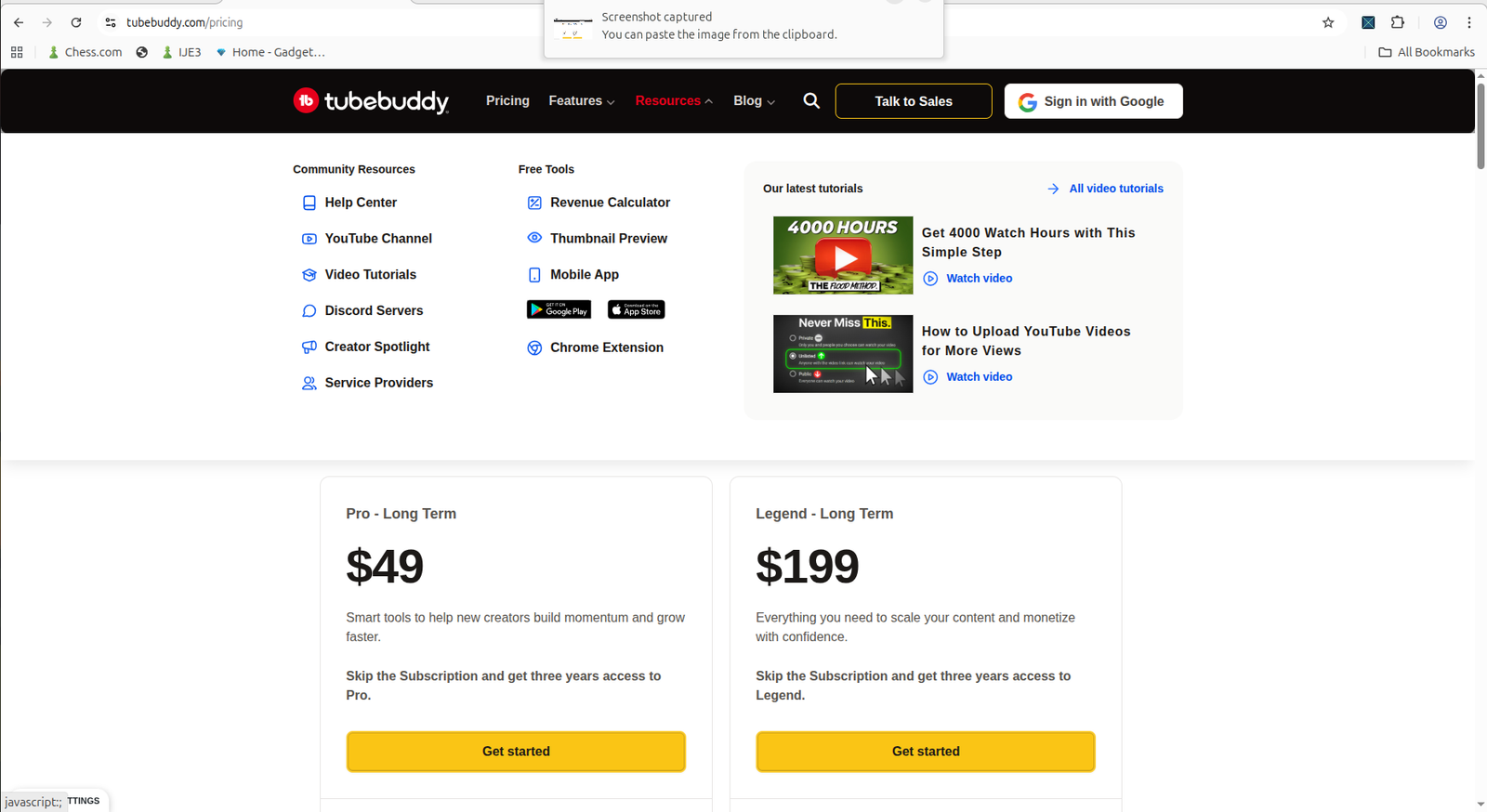
Some workflows clearly depend on the browser extension, which adds friction if you expect the web interface alone to do the job.
The second type of friction is license gating, and this is the bigger one. I repeatedly ran into screens that made the same basic point: the interesting tool is there, but it is not really for me unless I upgrade.
Keyword ranking reports were locked behind an upgrade. Retention Analyzer explicitly required a Legend-level license. Competitor Scorecard was presented as a Legend feature. Other screens pushed the same message in slightly different forms: upgrade now, explore licenses, unlock the full experience.
After a while, the pattern became impossible to ignore. TubeBuddy’s free side is better at exposing the platform than delivering the deeper workflows.
For me, that changed the way I think about “free vs paid” here. This is not really a story of a rich free toolkit competing with paid upgrades. It is more like a preview layer versus a working layer. The preview layer is polished and informative. The working layer seems to begin when you move into the extension-backed or higher-license paths.
That is not necessarily bad, but it is something a small creator should understand before expecting a lot from the free side.
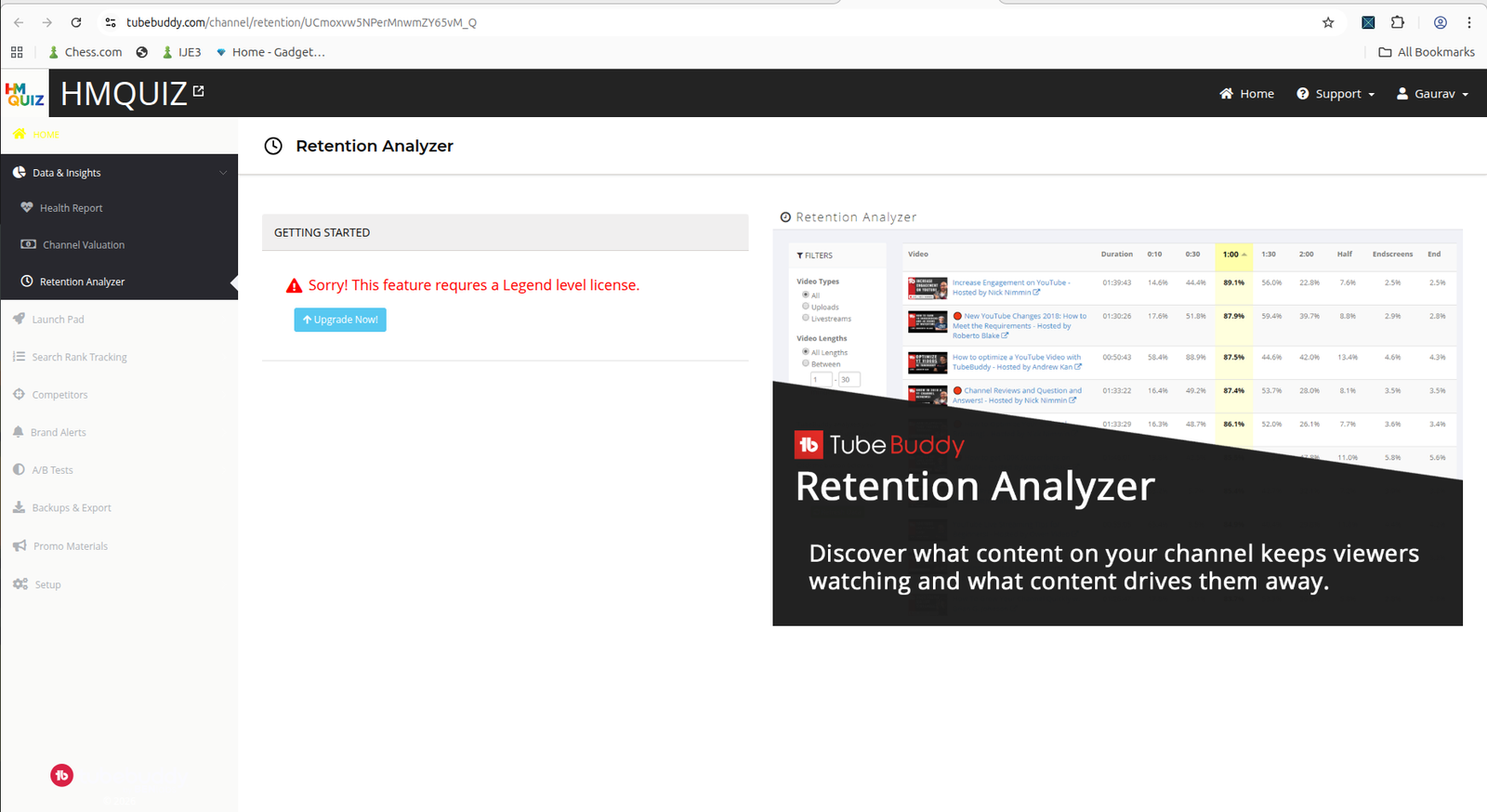
This is where the experience shifts from feature discovery to feature gating: useful-looking workflows are visible, but locked behind a higher plan.
If your main workflow is repurposing existing long videos into Shorts rather than doing SEO, packaging, and optimization research, our OpusClip Review 2026 is a better next read.
What the Paid Plans Appear to Unlock
Based on the pricing and feature comparison screens I captured, TubeBuddy clearly frames the lower and higher tiers around different levels of creator ambition.
The lower plan is presented as a momentum-building tier for newer creators, while the higher plan is framed around scaling, monetization confidence, deeper strategy, and more serious optimization workflows. The visible feature differences include content strategy tools, advanced reporting and analytics, full search and SEO access, bulk editing workflows, audience understanding tools, YouTube Shorts linking, and topical analysis.
That distinction matters. If I look at TubeBuddy as HMQUIZ, the paid plans do not just seem to promise “more features.” They seem to promise a more complete operating system for channel decisions.
The free side lets me see the shape of the platform. The paid side appears to be where ranking, retention, competitor, strategy, and workflow tools start becoming more usable.
At the same time, I do not want to overclaim. From the screens I captured, the paid tiers appear to unlock the workflows TubeBuddy treats as serious optimization features, but I did not fully validate every premium path hands-on because the license walls appeared early.
My honest reading is this: the paid plans look like they unlock the stronger version of TubeBuddy, and the product itself makes it very clear that deeper utility is part of what you are being asked to pay for.
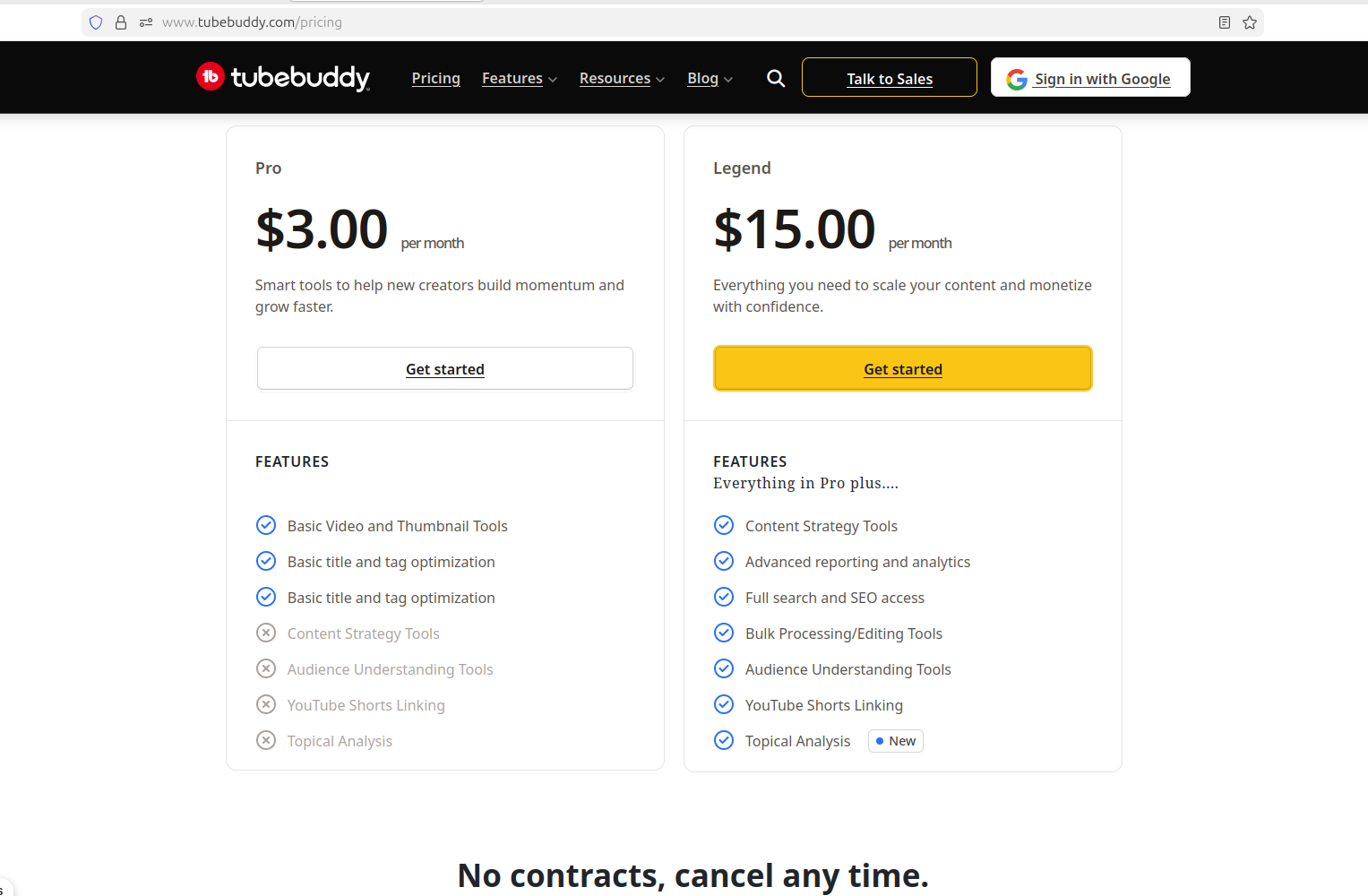
The Pro vs Legend comparison makes TubeBuddy’s positioning clear: lighter creator momentum on one side, deeper strategy and workflow tools on the other.
Who Should Stay Free and Who Should Consider Paying
If I were advising another small creator, I would say the free side of TubeBuddy is mainly useful for exploring the product, understanding the dashboard structure, and deciding whether the workflow style fits the way you run your channel.
It is helpful if you want to browse the feature surface, get a feel for the interface, and see whether TubeBuddy’s way of thinking about growth matches your own.
But I would not recommend going in expecting the free side to function like a deep, complete toolkit. From what I saw, the value of staying free is mostly in the preview and orientation stage.
Paying makes more sense for creators who already know they will actually use these kinds of workflows repeatedly. That includes creators who care about ranking visibility, title and thumbnail iteration, retention insights, competitor benchmarking, SEO discovery, or structured publishing workflows.
For a small channel, the key question is not “Can I afford the plan?” It is:
Will I use these features often enough to justify moving from the visible layer into the working layer?
If the answer is no, the free experience may be enough to inspect the product and move on. If the answer is yes, TubeBuddy starts looking more reasonable as a paid workflow tool.
If you are still deciding between TubeBuddy and another creator tool rather than evaluating TubeBuddy alone, read TubeBuddy vs vidIQ next.
Final Verdict: What I Think After Testing TubeBuddy on HMQUIZ
My first experience with TubeBuddy was better than I expected in one specific way: it looks serious immediately. The interface is polished, the dashboard surfaces useful areas quickly, and the product does a good job of showing creators what kinds of decisions it wants to help with.
That makes the platform feel bigger and more capable than a simple utility tool.
But the biggest lesson from this test is that TubeBuddy’s free side is not really where the full value appears. The product is very good at exposing dashboards, recommendations, and feature paths, yet many of the more compelling workflows begin to depend on either the browser extension or a higher-tier license.
In other words, the free experience gives you visibility. The paid experience appears to be where TubeBuddy becomes a fuller operating system for creators.
So if I summarize it as HMQUIZ: TubeBuddy is worth looking at, but not because the free side gives you everything. It is worth looking at because it quickly shows what the platform could do for your channel.
The real decision is whether that potential lines up with the way you actually create, optimize, and publish. If you only want to inspect the tool and understand the product surface, free is enough. If you want the deeper workflows TubeBuddy keeps pointing at, paid is probably where the real product starts.
If you want a broader workflow comparison after this, read our TubeBuddy Review 2026, vidIQ Review 2026, and OpusClip Review 2026.